
This content has been automatically translated and may include minor variations.
Content creation is the lifeblood of modern marketing.
From a consistent cycle of blog posts, emails and social media posts, to powerful one-off videos, landing pages and billboards – great content campaigns are the key to connecting with your audiences worldwide.
With 97% of professionals saying they experience at least some level of success with content marketing, brands must keep up with growing consumer demands. But this is much easier said than done.
Maintaining a constant flow of content across multiple channels is a prevailing problem for marketing teams. Despite innovations in AI software and automation tools, the struggle persists, placing a lot of demand on creatives, designers and your head office to maintain pace with an ever-growing number of platforms – all in the face of ever-shrinking budgets.
While these everyday challenges may be your responsibility, it is empowering your frontline staff where the key to scaling your outputs to new heights can be found. In fact, it’s right that the people who interact with your customers, manage your outlets, and take care of your day-to-day obligations are able to flow with trends and markets as easily as possible..
Here we’ll explain how, with the right tools, strategies, and incentives, you can empower your frontline employees to become the beating heart of your content marketing efforts.
What do we mean by frontline employees?
First, we should clarify what we mean by “frontline employees”. As noted above, your frontline workers are the people who directly engage with your audiences and keep your operations running smoothly.
As well as traditional marketing roles, they’re the baristas serving customers in your cafe. The shop assistants stacking shelves in your supermarket or department stores. The customer service representatives answering people’s questions and concerns. Simply put, they’re the backbone of your organization.
The challenges impacting today’s content marketers
Now, what are the prevailing challenges today’s content marketers face, and which of these could be resolved by a helping hand from your frontline workforce?
Lack of trained personnel
First, there’s the simple problem of demand for content outstripping available resources. With 51% of companies saying they use over 8 channels, many marketing teams need additional personnel to produce and maintain a continuous flow of content on each of their active platforms – especially if they have visions of scaling up in future.
Personalisation and localisation
Beyond the number of channels, global companies also have to consider the pressing need to tailor content for specific audiences and regions. With personalized content now a growing expectation among consumers, this adds another layer of complexity for already burdened content marketers.
Maintaining brand consistency
Attempting to churn out content at pace can allow inconsistencies to creep in – mistakes which can subsequently damage your image in the eyes of your customers. Brand consistency is critical to a strong reputation and sustainable brand equity – when this falters, it can take a long time to fully recover.
Managing content and campaigns
With multiple marketing campaigns in motion across several locations, maintaining control and oversight of every asset is a time-consuming, painstaking burden. The more time your marketing team devotes to coordinating assets, the less time they can dedicate to evolving your content strategy.
Dependence on designers and agencies
To relieve the burden on the central marketing team, many organizations delegate content creation to freelance designers and specialist agencies. This can reduce the stress involved, but it comes at a cost – and not just a financial one.
Using professionals outside your organization places your content production schedule in their hands, adding complexity to the pipeline and concerns over their capacity to fulfill your needs.
How does empowering your frontline employees address these issues?
A lot of the fundamental issues affecting content marketers could be resolved if there were simply more people who could contribute to your content creation process. People who understand your business, your brand and your customers. So, what better than boosting your frontline employees into this role?
Now if it were as simple as that, every company in the world would already be doing it. If you’re keen to mobilize your frontline workers, there are several hurdles you have to clear first:
Tough obstacles that, with the right combination of tools and some top-line direction from your marketing leaders, can be overcome to make frontline content creation a very real possibility in your organization.
6 steps to enhance your employees’ involvement in your marketing
1. Utilize intelligent design templates
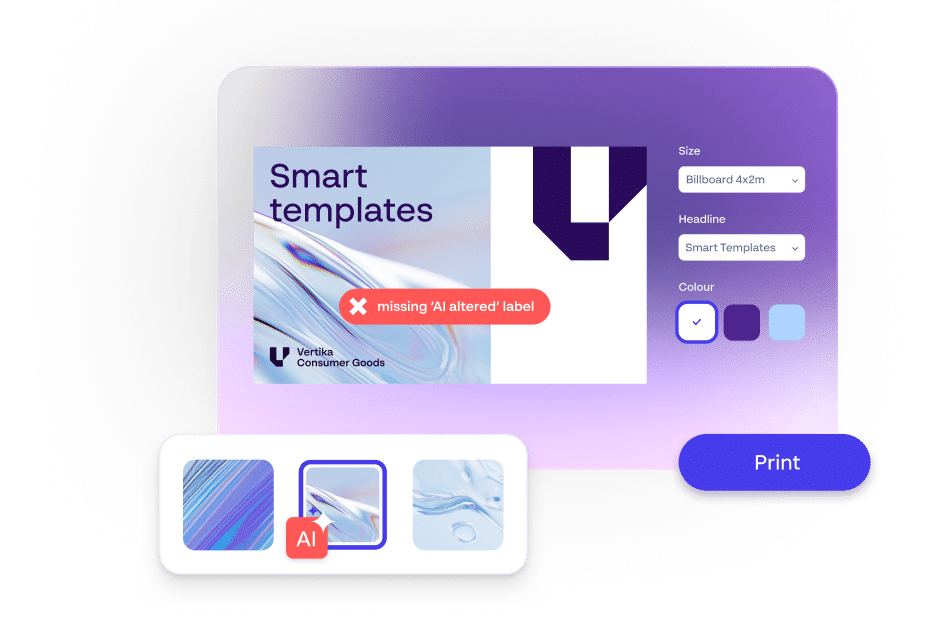
The biggest barriers between your employees and your content are a lack of design expertise and available time. Using on-brand design templates addresses both of these concerns and can instantly inspire your employees to share quality content.
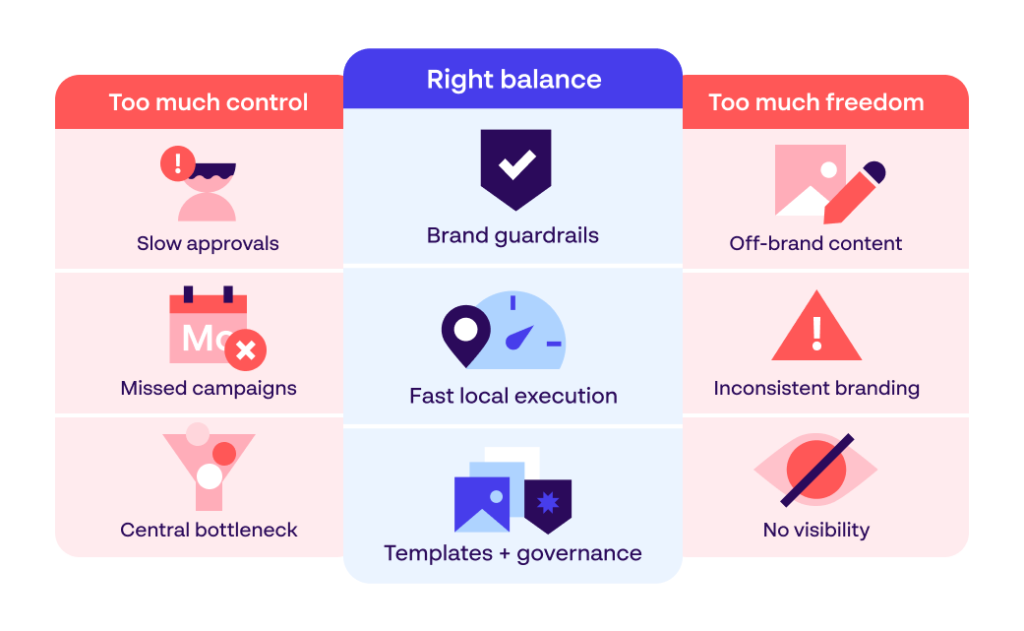
Content creation solutions with this capability provide an intuitive framework for users, fixing all necessary brand elements in place so there is zero risk of inconsistency. From there, your employees then have the freedom to create and adapt materials to their requirements, without compromising your company’s identity.
This can have several practical benefits, such as:
Enabling anyone to produce high-performing assets, no matter their skill level
Cutting down asset creation times to a matter of minutes
Allowing users to tailor languages, imagery and wording to their audience or region
Permitting the production of content for multiple different channels in one location
By also incorporating safety measures, such as approval workflows and a library of professionally designed content templates, you lay the foundation for an employee-generated content revolution – one that can scale up your in-house marketing and reduce your reliance on freelancers and agencies.
2. Centralise brand guidelines and directives
Your content production tools shouldn’t stop at design templates. While these tools help lock down consistency while reducing production times and costs, it’s just as important that your frontline employees understand your brand inside and out before you allow them to start generating assets.
Your brand guidelines are the crux of this requirement, so it’s essential that they’re accessible to your entire workforce. You might think that this is a given, but while 85% of companies say they have documented guidelines, only 30% enforce them consistently.
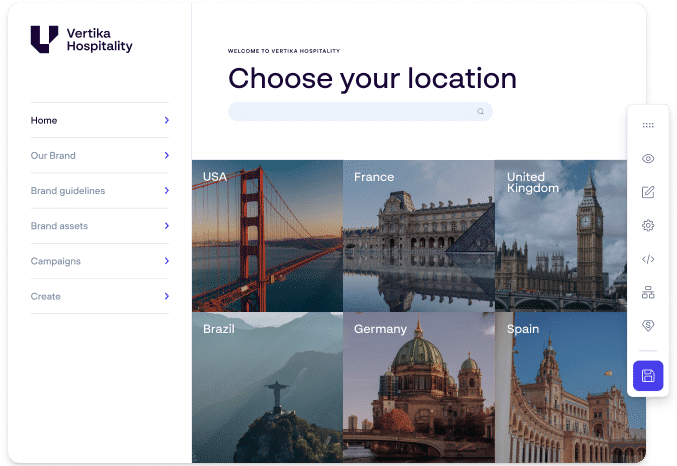
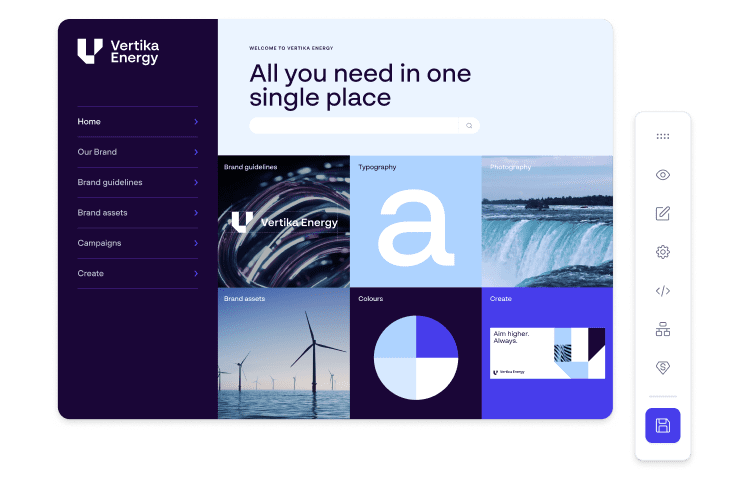
Establishing a central, online destination for your brand guidelines and similar resources helps ensure that your frontline staff, wherever they’re based, can engage with and educate themselves on your identity. A brand portal can be a valuable tool in this process, storing this key information in one online place that your teams can access whenever required.
3. Provide education and training
Alongside these capacity-expanding tools, it’s beneficial to introduce designated training sessions with frontline workers who are interested in content creation. Hosted by members of your central marketing team or other executives, regular sessions with your team can help them understand what’s expected and feel more confident engaging in this process.
While on the surface it may seem like trading one time-consuming task for another, it’s all a matter of perspective. What is more time-costly: a monthly training session with your internal teams, or the hours you devote to creating, proofing, amending and distributing content to your outlets worldwide?
Plus, opportunities for learning and development are massive motivators for the latest generation of frontline workers. So not only can this scale up your content development – it may also enhance your overall employee experiences and job satisfaction.
4. Incorporate content creation into your onboarding process
The employee onboarding stage sets the expectations for your new recruits, so they can fully understand your processes and their responsibilities. By introducing your content creation tools and brand management solutions at this early phase, you can help ensure that this is understood and embraced by your newest employees.
This means that by the time they have fully settled into their new role, your content creation process can already be second nature to them. Over time, this can create a culture of content production throughout your frontline workforce, rather than the sole responsibility of your central marketing teams.
5. Create a single source of truth for your content
If your entire frontline staff are engaged in content generation, assets can quickly become muddled, misplaced or lost altogether, adding to your workload instead of streamlining it. Preventing this requires a single, centralized repository for assets developed across your organization – a Digital Asset Management (DAM) system.
Investing in a DAM solution allows you to consolidate all your branded content, assets, imagery, videos and beyond into one combined library – accessible to your teams across the globe. With the ability to tag assets, set permissions and distribute these to your outlets worldwide in real time, a DAM can put you in total control over the consistency and frequency of your content.
6. Establish an employee recognition and rewards programme
Finally, encouraging your employees to play a more conscious role in your marketing operations through tangible incentives can help ensure that this is not an on-again, off-again occurrence, but a fixed, reliable approach.
While each employee will have their own unique motivations to get involved in such a scheme, some examples to help inspire your staff include:
Reap the rewards of empowering your frontline workers
Empowering your frontline employees to be at the core of your content creation efforts is not straightforward. But by following the techniques above and investing in the tools and training required to execute this, you open the doors to a whole host of benefits:
Scaled-up content output: With more hands available, your teams can create more content than ever, with increased productivity and better cost-efficiency.
Greater consistency: As work is created in-house by professionals who know your brand, consistency can be locked down on every channel and location.
Extended reach: Scaling up your content generation means you can build a bigger presence on new and existing channels, and tailor content to specific regions and audiences.
Faster times to market: Turnaround times for content can be cut significantly, and employees are enabled to capitalize on fleeting opportunities to capture sales.
More engaged employees: By getting involved in your content generation, your employees can forge stronger, more meaningful bonds with your brand.
Capacity for strategic thinking: With the pressure of content generation eased, your marketing team will have more room to plan, reflect and evolve your brand.
Empowering your frontline employees to create collateral takes time to perfect, but with every piece of content your teams produce, the closer you come to a state of marketing self-sufficiency.
We hope this has given you the motivation to see where you can scale up your content creation in the long term, and harness your professionals at every level of your organization to make a positive impact on the future of your brand.
This content has been automatically translated and may include minor variations.
Brand governance rarely fails overnight. It erodes gradually — a regional team using an old logo because the right one is buried, an agency working from a PDF brand book that has not been updated since the rebrand, a market launching with imagery that has not been rights-cleared.
For brand directors managing campaigns across multiple markets, the problem is structural. Assets sit in SharePoint. Guidelines sit in a PDF, and templates get emailed back and forth — with no single source of truth and no visibility into what local teams produce.
The cost is measurable: redundant photo shoots, agency adaptation fees, PR risk from off-brand content, and the slow erosion of brand equity in the markets leadership is counting on to grow.
That is where brand management software comes in. This guide is for marketing leaders, brand directors, and operations teams evaluating platforms that replace fragmented tools with a single governed environment. We compare 10 platforms worth shortlisting in 2026.
What is brand management software?
Brand management software is a centralized, governed platform that gives organizations a single place to store brand assets, communicate brand standards, and control brand execution across teams, markets, and partners. It is the platform layer that makes consistent brand execution possible at enterprise scale.
At its most complete, brand management software brings together three connected layers — Digital Asset Management to store and govern approved files, a brand portal to surface those assets with context and guidelines, and Content Creation to let decentralized teams produce on-brand materials without going through HQ.
It is not a project management tool, generic file storage, or a content management system. Those tools each solve adjacent problems, but none was built to govern how a brand is executed at scale across markets, partners, and channels.
Without it, most organizations rely on a patchwork of SharePoint folders, outdated PDFs, and manual approvals over email. The result is predictable: local teams bypass guidelines, central teams spend half their time on adaptation, and leadership has no visibility into what is going into market. ale.
10 best brand management software platforms in 2026
Platforms in this list were selected on category leadership, enterprise deployment evidence, breadth of brand management capability, and relevance to organizations managing multi-market or multi-brand complexity. Where vendors focus on a single layer — DAM only, portal only, or templating only — we have noted it.
Platform comparison overview
Platform
Best for
Key features
Notable strengths
Pricing tier
Papirfly
Enterprise brand control end‑to‑end
DAM, brand portal, Templated Content Creation in one suite
The only platform combining DAM, portal, and templated creation in a single integrated system
Bynder
Market-leading DAM functionality with strong UX and integration ecosystem
Frontify
Highly usable brand portal with strong designer and agency workflows
Brandfolder
Clean interface, strong search, now part of the Smartsheet ecosystem
Lytho
Uniquely positioned for creative operations plus asset management
Canto
Strong mid-market recognition and recent AI-first product reinvention
Acquia DAM (Widen)
Deep integration ecosystem and strong permissions model
Marq
Accessible for non-designers with strong print automation
MediaValet
Native fit for Microsoft environments and Forrester-recognized enterprise DAM
IntelligenceBank
Combines asset management with compliance-ready marketing operations
Pricing tier
Platform
Pricing tier
Papirfly
$$$–$$$$
Bynder
$$$$
Frontify
$$$-$$$$
Brandfolder
$$$-$$$$
Lytho
$$–$$$
Canto
$$–$$$
Acquia DAM (Widen)
$$$$
Marq
$$–$$$$
MediaValet
$$$$
IntelligenceBank
$$$–$$$$
1. Papirfly – Best for enterprise brand control end‑to‑end
Best for: Enterprise organizations that need to govern brand assets, drive consistent campaign execution across markets, and enable local content production from a single integrated platform.
Pricing: $$$–$$$$
Papirfly is built for organizations that need to govern brand assets, maintain campaign consistency across markets, and enable local content production without stitching together three separate platforms. The Papirfly Suite combines Digital Asset Management, a fully customizable brand portal, and Templated Content Creation in one integrated system.
The DAM layer uses AI for auto-tagging, digital rights management, and natural language search. The brand portal supports multi-brand and multi-region architectures from a single interface, and Templated Content Creation lets non-designers produce studio-quality materials from centrally locked templates. Customers include BMW, IHG, and Goldman Sachs, with deployments built on AWS and certified to ISO 27001 and SOC 2 Type II.
This combination matters because most brands do not have one problem — they have three. Assets are hard to find, guidelines are not followed because they are hard to access, and local content production is either too slow or too risky. Papirfly is one of the few platforms designed to address all three from the same system.
Key features:
Integrated DAM, brand portal, and Templated Content Creation in one suite
AI-powered auto-tagging and natural language asset search
Customizable brand portal with role-based, multi-region permissions
Locked-field Templated Content Creation for non-designers
Multi-brand, multi-tenant architecture for enterprise governance
ISO 27001 and SOC 2 Type II security certifications
Pros:
Only platform combining DAM, brand portal, and Templated Content Creation in a single integrated suite
90%+ of users access assets through the portal — adoption higher than typical DAM-only deployments
Enterprise customer base including BMW, IHG, and Goldman Sachs validates scale
Cuts central team adaptation workload while protecting brand integrity at the local level
Cons:
Best suited to enterprises evaluating against a 3-year brand execution roadmap, not a quick point fix
2. Bynder – Best for large enterprises with mature DAM requirements
Best for: Large enterprises whose primary need is a category-leading DAM with strong UX and broad integration support.
Pricing: $$$$
Bynder is a Netherlands-based DAM platform with over 580 employees and consistent recognition as a leading enterprise DAM, including inclusion in Forrester Wave evaluations. It centralizes digital assets across complex enterprise environments, with a strong emphasis on DAM functionality and integration breadth.
The DAM capability handles large libraries with reliable metadata management, version control, and digital rights management. Digital brand templates allow on-brand content creation inside the platform, and 121+ integrations connect it to most martech, CMS, and creative stacks. Workflow modules support distributed review and approval.
Where Bynder has less depth is in the brand portal experience — customization is more constrained than dedicated portal products. The templating layer is functional but less sophisticated than platforms built specifically around high-volume local content production.
Key features:
Enterprise DAM with metadata management, DRM, and version control
Digital brand templates for on-brand content creation
Creative workflow with review and approval routing
121+ integrations including Adobe Creative Cloud and Salesforce
Brand guidelines module
Asset usage analytics
Pros:
Mature, well-supported DAM with a strong enterprise track record
Excellent UX relative to legacy DAMs, driving higher adoption
Best for: In-house creative teams and brand managers prioritizing a clean, navigable home for brand identity over deep enterprise DAM functionality.
Pricing: $$$–$$$$
Frontify is a Swiss-based brand management platform with around 300 employees, positioned squarely in the brand portal and guidelines space. Its core proposition is a well-designed, accessible interface for surfacing brand standards.
The brand portal is Frontify’s standout strength, using a building-block approach that gives design teams a structured way to create brand hubs. A desktop application improves day-to-day access for creative professionals, and around 50 integrations connect to common design tools which require additional investment and user-training.
The platform is less strong as a DAM, with no major analyst recognition in that category. Templating relies on importing design files rather than offering native content creation, which limits its use for organizations scaling local production across non-designer audiences.
Key features:
Customizable brand portal with drag-and-drop building blocks
Brand guidelines hosting with rich media
Asset management with version control
Design file import for brand templates
Desktop application for Mac and Windows
50+ integrations including Figma and Sketch
Pros:
Among the cleanest portal experiences in the category
Strong designer and agency workflows
Free-tier integrations widen accessibility for smaller teams
Building-block approach makes portal construction structured and accessible
Cons:
Building-block portal structure can limit flexibility for complex brand architectures
Not suited to organizations with large, governance-heavy asset libraries
No native templated content creation for non-designers
4. Brandfolder – Best for creative teams needing DAM with embedded guidelinest
Best for: Enterprises invested in the Adobe ecosystem running owned digital experiences at scale.
Pricing: $$$$
Best for: Mid-to-large creative and marketing teams wanting a searchable, governed asset library with brand guidelines and analytics built in.
Pricing: $$$–$$$$
Brandfolder, now part of Smartsheet, is a DAM with strong reputation among creative and marketing teams for its clean interface and capable search. It centralizes brand assets with AI-powered auto-tagging and smart search that surfaces keywords inside documents.
The Smartsheet acquisition has broadened Brandfolder’s ecosystem positioning, connecting it more closely with project and work management workflows. The platform includes collaboration tools, annotation and approval workflows, and asset editing capabilities. Analytics provide usage insights that help brand managers identify which assets are performing.
Brandfolder is less focused on local content production at scale or the multi-portal, multi-region brand architecture larger enterprise organizations typically require. Roadmap alignment with Smartsheet is still evolving post-acquisition.
Key features:
AI-powered auto-tagging with in-document keyword search
Brand guidelines embedded alongside assets
Asset editing and manipulation
Annotation and approval workflows
Asset usage analytics
Smartsheet ecosystem integration
Pros:
Intuitive interface drives strong adoption among non-technical users
In-document keyword search differentiates it for document-heavy libraries
Embedded guidelines reduce off-brand asset usage
Smartsheet ecosystem extends reach into project management
Cons:
Less suited to multi-region brand portals or complex global governance
Limited templated content creation for non-designer audiences
Post-acquisition roadmap alignment with Smartsheet still evolving
5. Lytho – Best for in‑house creative teams combining workflow and brand governance
Best for: In-house creative departments managing high volumes of internal content requests and looking to combine workflow, asset management, and brand governance in one platform.
Pricing: $$–$$$
Lytho positions itself at the intersection of creative operations and brand management. Rather than leading purely with DAM or portal functionality, it combines asset management, brand guidelines, smart templates, and workflow automation in one platform. The focus is helping in-house creative teams cut repetitive work without manual review overhead.
The Asset Manager handles storage, tagging, and retrieval, with advanced filters including color and similar-image search. The Brand Center houses guidelines alongside assets, and Lytho Tempo enables non-designers to create on-brand content from locked templates. In 2025, Lytho added AI capabilities aimed at reducing administrative and compliance overhead.
Lytho is a strong fit for in-house creative departments that are the primary bottleneck in their organization’s content pipeline. It is less established in large enterprise deployments with multi-brand, multi-region complexity.
Key features:
Asset Manager with color and image similarity search
Brand Center for guidelines
Lytho Tempo smart templates
Creative workflow automation
Consent management for people imagery
AI teammates for compliance and admin tasks
Pros:
Uniquely positioned for in-house creative teams managing internal requests
Combines workflow with brand governance more deeply than DAM-first platforms
Consent management is a useful differentiator for people-heavy libraries
AI teammates address real admin overhead
Cons:
Less proven at large enterprise scale or with multi-brand, multi-region complexity
Review interface ergonomics receive mixed user feedback
Smaller integration footprint than dedicated DAM leaders
6. Canto – Best for mid‑market teams needing accessible DAM with growing AI capability
Best for: Mid-sized marketing organizations and product-led brands that want a reliable DAM with growing brand management and AI capabilities.
Pricing: $$–$$$
Canto is a DAM with strong mid-market presence and consistent recognition on platforms such as G2, where it ranked as a top DAM provider in the 2025 Best Software Awards. It is valued for ease of use, strong permission controls, and a clean interface.
In October 2025, Canto launched Canto XI — a product reinvention positioning the platform as an intelligent content hub for the AI era. The release introduced four products: Brand Studio for templated creation, Approval Hub for review workflows, AI Library Assistant for AI tagging, and Media Publisher for direct asset delivery. Canto PIM connects product data and assets in one environment.
Canto is a practical mid-market choice. Enterprise depth is less proven than larger platforms, and multi-region brand portal capability is more limited for global governance scenarios.
Key features:
AI Library Assistant for auto-tagging and content enrichment
Brand Studio for templated content creation
Approval Hub with annotations and audit trails
Media Publisher for direct asset delivery
Canto PIM for unified product data
Digital rights management
Pros:
Strong mid-market reputation for ease of use and fast adoption
Canto XI represents meaningful AI-first product evolution
G2 Best Software Awards recognition supports buyer confidence
Suite breadth covers more than asset management alone
Cons:
Enterprise brand governance at global scale is less mature than dedicated enterprise platforms
Canto XI breadth is still accruing real-world enterprise validation
Multi-region portal architecture is limited compared to portal specialists
7. Acquia DAM (Widen) – Best for organizations embedded in the Acquia digital experience stack
Best for: Enterprises operating inside the Acquia DXP and CMS ecosystem that need a DAM at the center of their martech stack.
Pricing: $$$$
Acquia DAM, formerly Widen Collective, is an enterprise DAM that Acquia has steadily expanded since acquisition. The platform offers metadata management, version control, review and approval workflows, and branded portals for distributing assets to external stakeholders.
Since acquisition, Acquia has grown integrations from a small base to over 200 connectors spanning marketing, design, e-commerce, and AI tools. AI capabilities include auto-tagging, video transcription, alt text generation, and translation. The REST API and integration breadth make it workable for enterprises with complex martech stacks.
Acquia DAM is best suited to organizations already operating inside the Acquia digital experience ecosystem. Outside that stack, the interface receives consistent criticism for feeling dated, and initial setup and integration work can be substantial.
Key features:
Metadata management with taxonomy controls
Review and approval workflows with annotations
Branded portals for external distribution
AI auto-tagging and video transcription
200+ integrations across marketing and design
REST API for custom integration
Pros:
Genuinely extensive integration breadth covers most enterprise martech scenarios
Strong fine-grained permissions and metadata governance
Native fit for organizations already on Acquia DXP and CMS
AI transcription and translation widen multimedia value
Cons:
Interface design receives consistent criticism for feeling dated
Setup complexity is significant
Full martech integration can require specialist resource
8. Marq – Best for distributed teams producing high‑volume templated print and digital
Best for: Franchise networks, field sales, and distributed marketing teams producing high volumes of personalized print and digital collateral.
Pricing: $$–$$$$
Marq, formerly Lucidpress, is a brand content and sales enablement platform that rebranded in 2022 to reflect its focus on brand templating and creative automation. It enables distributed teams to produce on-brand print and digital materials without design skills, using lockable templates that enforce brand standards.
CRM integrations with Salesforce and HubSpot allow data to auto-populate templates, which is useful for sales teams producing personalized materials at volume. Marq integrates with DAM systems including Bynder, Acquia, and Canto, positioning it as a content creation layer on top of an existing asset library. Web-to-print is a practical differentiator for high-volume physical collateral.
Marq is strongest as a templated content creation tool for distributed non-designer teams. It is not a DAM or full brand portal — organizations needing governed asset storage or multi-region governance will need to pair it with a dedicated platform.
Key features:
Lockable smart templates with configurable brand guardrails
CRM integrations with Salesforce and HubSpot
Web-to-print for physical collateral
Creative automation for high-volume repetitive content
DAM integrations including Bynder and Canto
Template usage analytics
Pros:
Strong fit for franchise and distributed sales networks producing personalized collateral
Accessible UX for non-designers
Practical CRM data integration for personalized output
Web-to-print supports physical and digital execution from one template
Cons:
Not a DAM or brand portal — must integrate with a separate system for governed asset storage
Less suited to complex multi-brand or multi-region governance
Brand guidelines hosting is lighter than dedicated portal platforms
9. MediaValet – Best for Microsoft‑centric enterprises with large media libraries
Best for: Enterprises operating on a Microsoft tech stack with large media libraries and a primary need for governed asset storage and distribution.
Pricing: $$$$
MediaValet is a cloud-native DAM built on Microsoft Azure, with strong footprint in retail, entertainment, sports, and corporate communications. Azure foundations give it natural proximity to Microsoft-native organizations, and it integrates cleanly with Teams, SharePoint, and Microsoft 365.
Core DAM functionality is well-developed: AI-powered auto-tagging, facial recognition, and OCR support fast, accurate ingestion across large libraries. The Portals feature lets administrators create branded, permissioned asset portals for partners, agencies, and regional teams without exposing the full library. MediaValet has been recognized in Forrester Wave reports for enterprise DAM.
MediaValet is strongest for media-heavy, Microsoft-centric organizations. Brand portal customization is more limited than dedicated portal platforms, and local content creation requires integration with additional tools.
Key features:
Cloud-native DAM on Microsoft Azure
Teams and SharePoint integration
AI tagging with facial recognition and OCR
Branded Portals for permissioned distribution
Adobe Creative Cloud integrations
99.9% uptime SLA with global CDN
Pros:
Natural fit for Microsoft-centric organizations
Deep Teams and SharePoint integration reduces friction for everyday users
AI tagging and OCR perform well on large media libraries
Cons:
Brand portal customization is more limited than dedicated portal platforms
Local content production requires integration with additional tools
Less suited to organizations not on a Microsoft tech stack
Best for: Marketing teams in regulated industries — financial services, healthcare, legal, insurance — that need compliance workflow alongside asset and brand governance.
Pricing: $$$–$$$$
IntelligenceBank is an Australian-headquartered brand management platform with strong presence in marketing operations. It combines DAM, brand guidelines, marketing workflows, and approval routing in a single environment, with specific emphasis on content compliance — including legal and regulatory sign-off.
The marketing operations capability is what distinguishes IntelligenceBank from most platforms in the category. Content request management, automated approval routing, and workflow sequencing sit inside the same system as the asset library, reducing the coordination overhead on marketing operations teams. The platform integrates with major CMS, CRM, and marketing automation tools.
IntelligenceBank is the strongest fit when compliance workflow is as important as asset governance. For organizations whose primary need is enterprise-scale DAM, multi-region brand portals, or high-volume local content production, the platform has less depth than specialist alternatives.
Key features:
DAM with AI auto-tagging and digital rights management
Marketing workflow with compliance approval routing
Brand guidelines module
Content request management for structured briefing
CMS and CRM integrations
Audit trail for compliance sign-off
Pros:
Strongest compliance workflow functionality on this list
Combines asset management with marketing operations in one platform
Audit trail supports regulatory review out of the box
Workflow depth reduces coordination overhead for regulated marketing teams
Cons:
Less internationally recognized than US- and European-headquartered competitors
Local content production for distributed teams is more limited than localization specialists
Multi-region brand portal architecture has less depth than dedicated portal platforms
5 main reasons why businesses need brand management software
1. Centralized asset management ends content chaos and slow campaigns
The biggest cause of off-brand content is not poor judgment at the local level — it is that finding the right asset takes longer than producing something from scratch. When a regional manager cannot locate the approved campaign kit, the path of least resistance is Canva. Brand management software removes this failure mode by making the governed path the fastest path.
Assets, guidelines, and templates sit in the same environment, permissioned to the right teams
AI-powered search surfaces the right asset by description, not file name
Local teams stop bypassing guidelines because finding the approved version is finally faster
2. Brand governance enforces on‑brand consistency across local teams
Research consistently shows central marketing teams at global brands spend 40–60% of their time on local adaptation work. That time has a direct opportunity cost in strategy, planning, and high-value creative work. Templated Content Creation reverses the flow by letting local teams produce within locked brand guardrails.
Locked-field templates ensure non-negotiable brand elements stay intact
Approval routing and audit trails replace ad hoc email sign-offs
HQ refocuses on strategy rather than resizing assets for individual markets
3. Brand analytics turn governance from aspiration into measurable discipline
A brand director who cannot answer “what creative is running in Spain this quarter?” cannot govern the brand. Brand management platforms provide usage analytics, campaign reporting, and audit trails that make governance measurable. Leadership can see adoption, measure consistency, and intervene when a market drifts.
Asset usage analytics show which assets perform and which sit unused
Adoption metrics surface markets that bypass the platform entirely
Audit trails support compliance review and stakeholder reporting
4. Brand portals turn rebrands and M&A into managed transitions
A rebrand stresses the entire brand system. So does a merger that brings two sets of brand assets and guidelines into one organization. Without a single source of truth, outdated logos persist for years and the rebrand agency’s work erodes within months.
Brand portals give the new identity a permanent, governed home
Multi-tier portal architecture supports sub-brands, regions, and partners from one UI
Adoption metrics prove rebrand rollout success rather than relying on hope
Consistent brand presentation has been linked to revenue uplifts of up to 23% across markets and touchpoints (Lucidpress, 2021). The commercial case is not abstract — it shows up in agency adaptation fees avoided, redundant photo shoots prevented, and PR risk reduced.
Lower PR risk from off-brand local execution
Reduced agency spend as templated content replaces repeat adaptation work
Faster campaign launches across markets — days, not weeks
4 key features to look for in brand management software
1. A fully customizable brand portal that reflects the brand itself
A generic portal undermines the thing it is meant to protect. The best brand management platforms offer portals that look and feel like extensions of the brand and support multi-brand, multi-region architectures from a single environment.
Multi-tenant architecture for sub-brands, regions, and partners
Role-based permissions per market, function, and partner role
Customization deep enough to match brand identity, not templated SaaS aesthetic
2. AI‑powered search and asset intelligence
When asset libraries reach tens of thousands of files, file-name search stops working. Look for natural language search, AI auto-tagging at ingestion, and content enrichment that reduce the metadata burden on central teams.
Natural language search (“hero image, autumn campaign, no people”)
AI auto-tagging at ingestion with confidence scoring
Facial recognition, OCR, and content enrichment for richer search
3. Templated Content Creation with configurable locking
Not all templating is equal. Look specifically for platforms that let HQ configure which fields are locked, editable, or open per element — the difference between a template that protects the brand and one that breaks it.
Field-level lock, edit, and open permissions
AI compliance check before any human reviewer
Multi-channel output (print, social, email, video) from one template
4. Integration depth across the marketing and creative stack
A platform that does not connect to Adobe, Figma, Canva, your CMS, and your CRM creates new silos rather than closing old ones. Evaluate integration depth honestly: how many connectors, how bidirectional, how well maintained.
CMS, CRM, PIM, and marketing automation connectors
API-first architecture for custom builds
How to choose the right brand management software
Assess your current brand governance challenges. Pinpoint whether consistency is breaking down at the storage layer, the access layer, or the production layer — most organizations think they have a DAM problem when they actually have a portal and templating problem.
Define your requirements across asset, brand, and production. Translate the audit into measurable business outcomes — adoption, adaptation reduction, off-brand incidents — and rank capabilities against those outcomes rather than feature lists.
Evaluate team and organizational scale. Map every user population — central, regional, partner, franchisee, agency — and verify the platform handles your 3-year growth scenario, not just today’s headcount.
Consider integration requirements. Validate the platform’s depth of integration against your specific Adobe, CMS, CRM, PIM, and ERP tools rather than against a generic logo wall.
Calculate total cost of ownership. Add license, implementation, metadata architecture, template build, change management, and ongoing administration — and weigh that against the agency fees, redundant shoots, and PR risk the platform replaces.
Brand management software use cases by industry
1. Retail and consumer brands: Seasonal campaign execution across markets
Retail and consumer brands run two to four major campaigns a year, each rolled out across dozens of markets and partner retailers. Without a governed campaign environment for retail marketing teams, the rollout becomes a logistical patchwork. Brand management software centralizes the campaign kit, permissions it per market, and lets local teams produce on-brand collateral in days, not weeks.
2. Financial services: Compliant content at scale
Financial services marketing operates under continuous regulatory scrutiny — every asset may need brand, legal, and compliance sign-off before distribution. Brand management software enforces compliance workflow alongside brand governance, with templates that lock regulated disclosures and audit trails that hold up under regulatory review. The result is faster time to market without compromising compliance.
3. Automotive: Dealer network enablement
Automotive brands face thousands of franchised dealers producing local marketing independently, each with their own interpretation of brand standards. Templated Content Creation solves automotive dealer marketing pains directly: dealers select pre-approved templates, personalize within locked fields, and export print-ready files in minutes. HQ protects the brand; the dealer gets local relevance and speed.
4. Hospitality and franchise networks: Multi‑property marketing consistency
Hotel groups, restaurant chains, and franchise networks need every property to market locally without breaking brand consistency at group level. Brand management software lets franchisees produce flyers, menus, social posts, and emails from centrally approved templates. The brand stays intact across hundreds of properties without HQ becoming a bottleneck.
Get started with brand management software
Brand management is no longer a discipline that can be governed by a PDF and a shared drive. The cost of fragmentation is measurable: wasted central team time, off-brand content at the edges, agency adaptation fees, and the slow erosion of brand equity in growth markets. The right platform closes all three governance gaps — storage, access, and production — from one system.
If you are evaluating platforms to solve the storage, access, and production problem in one integrated environment, Papirfly is worth a closer look. The Papirfly Suite combines Digital Asset Management, a fully customizable brand portal, and Templated Content Creation as a single system rather than a stitched-together stack.
See Papirfly in action
Ready to see what end‑to‑end brand governance looks like across your markets?
See Papirfly in action
Ready to see what end‑to‑end brand governance looks like across your markets?
Frequently asked questions about brand management software
What is brand management software?
Brand management software is a centralized platform that gives organizations a single place to store brand assets, communicate brand standards, and govern brand execution across teams, markets, and partners. The most complete platforms unify Digital Asset Management, a brand portal, and Templated Content Creation.
What is the difference between a DAM and brand management software?
A DAM organizes, tags, and governs digital assets at scale. Brand management software typically includes a DAM at its foundation but adds layers that connect assets to brand execution — guidelines, portals, approval workflows, and Templated Content Creation. See our best Digital Asset Management platforms guide for a deeper comparison.
What features should I look for in brand management software?
Prioritize a fully customizable brand portal, AI-powered search, Templated Content Creation with field-level locking, and broad integration depth. For enterprise use, add ISO 27001 and SOC 2 Type II security, SSO support, and multi-brand or multi-region architecture as non-negotiable requirements.
How does brand management software improve marketing efficiency?
It cuts time wasted searching for assets, frees central teams from adaptation requests, and gives leadership visibility into what local teams are producing. The combined impact is faster campaign launches, lower agency spend, and measurable gains in on-brand consistency across markets.
How much does brand management software cost?
Mid-market platforms typically run from a few thousand to tens of thousands of dollars annually. Enterprise platforms — Papirfly, Bynder, Frontify, and Acquia DAM — use custom pricing, with annual agreements typically ranging from $25,000 to well over $100,000 depending on scale, users, and brands.
How long does it take to implement brand management software?
Implementation runs from four weeks for a simple DAM deployment to six months or more for a multi-brand, multi-region rollout with custom templating and integration. Success depends less on the software than on metadata, template logic, and portal architecture scoped before go-live.
This content has been automatically translated and may include minor variations.
AI is reshaping how enterprise teams manage and use content. But in most organizations, the terminology is running ahead of the implementation.
Teams are expected to adopt AI capabilities without a clear understanding of how they work or where they fit. That creates friction in architecture, governance, and integration decisions. In practice this means poor search results, inconsistent metadata, and increased compliance risk.
In Digital Asset Management, this matters as AI influences how content is structured, retrieved, and exposed across systems.
This guide breaks down the core AI concepts in DAM with a focus on how they apply in real enterprise environments.
What are the key AI technologies used in Digital Asset Management?
Here is an overview of the core AI concepts and terms in Digital Asset Management that this guide will unpack.
How you interact – chat, search bar, or your AI assistant
LAYER 3
Intelligence
Understands meaning: Semantic Search & Natural Language Search
LAYER 2
Access
How other systems talk to Papirfly – API and MCP live here
LAYER 1
Your DAM
Assets, metadata, permissions, brand guidelines – the foundation
Each layer depends on the one below it. Skipping the foundation of structured metadata and clean permissions limits everything above it. For digital teams, this is less about features and more about control; making content accessible without compromising structure, permissions, or performance.
Access layer: Connecting AI to your DAM ecosystem
What is an API in Digital Asset Management?
An API (Application Programming Interface) connects your DAM to other platforms: CMS, PIM, marketing tools, internal applications. It’s also the primary way AI tools access content in existing environments.
APIs return what’s explicitly requested based on filters, IDs, or predefined queries. The limitation is context. The API accesses your DAM at a system level, and not as the individual making the request. That means it can surface content beyond what a specific user should see.
This isn’t a flaw in the API. It’s a gap between system-level access and user-level control. API integrations need additional safeguards to avoid exposing restricted content.
WITHOUT
Your marketing team manually downloads product images from Papirfly, then re-uploads them to the website CMS every time an asset changes. Errors creep in. Old versions slip through.
WITH
Your website CMS pulls approved assets directly from Papirfly in real time. When you update an image in your DAM, it updates on the website automatically. No manual steps.
What is MCP in Digital Asset Management?
MCP (Model Context Protocol) is designed to close that gap, allowing AI tools to retrieve content based on user context: permissions, roles, and intent.
Instead of returning fixed results at system level, MCP applies the same logic a user would experience inside the platform. A query like “approved winter campaign images for Germany” triggers a combination of filters, metadata conditions, and permission checks — all in a single interaction.
No custom logic is required around API calls.
WITHOUT
You ask your company’s AI assistant: “Find approved images for the winter campaign.” It either can’t access Papirfly, or connects via the API and potentially surfaces restricted assets.
WITH
You ask Microsoft Copilot the same thing. It connects to Papirfly via MCP, checks your permissions, and returns only the approved winter campaign imagery your role has access to.
Intelligence layer: How AI interprets digital assets
What is semantic search in Digital Asset Management?
Traditional search depends on exact matches. Incomplete or inconsistent metadata means limited results.
Semantic search looks at relationships instead. It analyses visual content, metadata, and context to identify similar assets, even when the wording doesn’t match. You search “family picnic in sunshine” and get results tagged simply as “outdoor” or “lifestyle.”
In large enterprise libraries, this improves discovery. But it doesn’t remove the need for structure. Without a solid metadata taxonomy, results become less predictable. This is a problem in environments where compliance and accuracy are non-negotiable.
What is AI auto-tagging in Digital Asset Management?
Auto-tagging handles one of the most resource-heavy parts of DAM: metadata creation. When assets are uploaded, AI analyses the content and suggests or applies tags, categories, and descriptions.
There are two levels:
Generic tagging: Out-of-the-box visual tagging. Useful for generating summaries, describing what’s visible, and improving searchability across general content.
Company-trained models: Models trained on proprietary business data. These can tag specific product variants, regional collections, or campaign assets with precision. They need significant input data to be accurate and still require a Human in the Loop (HITL), but this is where the industry is heading for large-scale operations.
One practical note on implementation: define your metadata schema before enabling auto-tagging. Tags generated by AI are most useful when they map to fields that already exist in your DAM.
This is particularly valuable when migrating large unstructured archives or handling high-volume content ingestion. A hybrid approach i.e. AI tagging with human validation, is the most reliable setup.
User layer: How people interact with AI in DAM
What is natural language search in Digital Asset Management?
Natural language search lets users query the system in plain sentences instead of predefined filters. It translates intent into structured queries; mapping language to metadata fields, categories, and filters.
“Approved winter campaign images for Germany” becomes a combination of approval status, campaign tags, asset type, and regional filters. No need to understand how the system is structured. This is particularly useful in distributed teams where users have varying levels of DAM experience.
How do AI chatbots work in Digital Asset Management?
A chatbot extends this further. Instead of a single query, users can refine requests, ask follow-up questions, and navigate the system through conversation.
The chatbot is an interface. What matters is what you connect to it. Plug in your brand guidelines, and teams can query the latest logos or translate copy into brand voice. Connect it to your DAM, and they can search assets, update metadata, or trigger workflow notifications. Connect performance data, and they can ask how a campaign is performing.
The question isn’t whether to have a chatbot. It’s what capabilities your organization needs it to have.
What are the benefits of AI in Digital Asset Management?
AI improves how content is accessed, structured, and retrieved. It reduces manual effort and makes large libraries easier to work with. But it doesn’t replace the fundamentals.
Permissions still need to be defined. Taxonomy still needs to be maintained. Governance still needs to be enforced. In enterprise environments, these become more important, not less.
AI adds efficiency. It doesn’t remove responsibility.
Why is AI in Digital Asset Management important for enterprise teams?
Unstructured data continues to grow faster than structured data in enterprise environments, creating challenges for search, governance, and retrieval.
Dell Technologies, 2025
Content volume is increasing. So is system complexity. Digital teams are managing integrations across multiple platforms, supporting distributed users, and maintaining control over how content is used.
AI in DAM addresses part of that challenge. But its value depends on how well it’s implemented within the existing architecture. The focus shouldn’t be on adopting AI features in isolation — it should be on how those capabilities integrate with the systems, workflows, and governance models already in place.
Conclusion
AI in Digital Asset Management introduces new ways to access and work with content. It builds on existing structures rather than replacing them.
Understanding how API, MCP, semantic search, and AI tagging work in practice makes it easier to evaluate where they fit — and where they don’t. For digital teams, that clarity is what leads to better decisions around integration, security, and scalability.
See AI in action across your DAM workflows
Explore how AI supports tagging, search, localization, and governance at scale.
See AI in action across your DAM workflows
Explore how AI supports tagging, search, localization, and governance at scale.
AI improves Digital Asset Management by automating metadata creation, enhancing search capabilities, and making it easier to retrieve relevant content across large libraries.
What is the difference between API and MCP?
API (Application Programming Interface) provides system-level access to data but does not account for user context.
MCP (Model Context Protocol) enables AI systems to retrieve content based on user permissions and intent.
What is semantic search in Digital Asset Management?
Semantic search uses AI to identify relationships between assets, allowing users to find relevant content without relying on exact keyword matches.
What is AI auto-tagging?
AI auto-tagging uses Artificial Intelligence to generate metadata automatically, reducing manual tagging effort and improving searchability. Read about more key terms and capabilities in our Digital Asset Management guide.
Does AI replace Digital Asset Management systems?
No. AI enhances Digital Asset Management systems but does not replace the need for structure, permissions, or governance.
Can AI ensure compliance and brand control?
AI can support compliance by improving access to approved assets, but governance frameworks and human oversight are still required.
How does AI integrate with Digital Asset Management systems?
AI integrates with Digital Asset Management systems through APIs or protocols like MCP, allowing external tools and assistants to access and retrieve assets. In enterprise environments, this integration must be carefully managed to ensure permissions, security, and governance are maintained.
This content has been automatically translated and may include minor variations.
A global campaign launches on Monday. By Wednesday, three regional teams have rebuilt the hero asset because no one could find the master file. By Friday, a partner has shipped a localized flyer with last year’s logo.
This is not a failure of effort. It is a failure of operations. Most enterprise marketing teams are running multi-market campaigns on a stack designed for a single team and a single channel.
The cost shows up in three places. Speed-to-market slows because no one trusts the assets they have. Brand consistency fragments at the edges, and content ROI becomes impossible to measure across disconnected systems.
Content operations brings these problems into one connected operation. This guide is for marketing leaders tired of treating asset management, brand governance, and content production as three separate problems. We compare the 10 platforms most often shortlisted by enterprise marketing teams in 2026.
What is Content Operations software?
Content operations is the discipline of orchestrating people, process, and technology across the full content lifecycle. It covers strategy, creation, governance, distribution, and measurement. Content operations software is the platform layer that makes that orchestration possible at enterprise scale.
The best platforms bring three layers together:
Asset management — a single source of truth for every approved image, video, and template, governed with metadata, rights, and AI-powered search
Brand governance — a brand portal layer that surfaces the right assets per team, market, or partner
Templated production — the ability for non-designers to create on-brand content within boundaries set centrally
It is not a project management tool, a Digital Asset Management platform on its own, or a CMS. Each of those solves one layer; Content Operations connects all three.
Without it, assets duplicate across drives. Brand consistency erodes at the edges. The central team becomes a bottleneck local teams work around rather than through.
10 best Content Operations platforms in 2026
We selected platforms based on enterprise relevance, depth across the asset, brand, and production layers, AI capability, and customer evidence at scale. Particular weight went to platforms that connect Digital Asset Management, brand governance, and templated production rather than solving for one layer in isolation.
Platform comparison overview
Platform
Best for
Key AI features
Notable strengths
Pricing tier
Papirfly
Enterprise brand content ops
AI asset tagging, smart search
DAM + Templated Content Creation + governance in one suite
$$$–$$$$
Aprimo
Enterprise marketing resource management
AI content scoring, predictive analytics
End‑to‑end MRM with DAM and deep workflow configuration
$$$$
Bynder
Large‑scale Digital Asset Management
AI metadata, auto‑tagging
Mature DAM with strong integrations
$$$$
Adobe Experience Manager
Enterprise digital experience management
AI personalization, Adobe Sensei
Full content lifecycle with DAM and web delivery
$$$$
Optimizely CMP
AI-powered content marketing operations
Agentic AI, content optimization
End‑to‑end content planning, creation, and delivery
$$$
Canto
Mid‑market DAM
AI tagging, smart search
Accessible DAM with strong portal functionality
$$$
Sprinklr
Enterprise omnichannel marketing
AI content scoring, social listening
Unified platform for global multi‑channel operations
$$$$
Contentful
Headless CMS and omnichannel delivery
AI‑assisted content modeling
Structured content delivery via API to any channel
$$$
Percolate (Seismic)
Global campaign orchestration
AI campaign insights
Multi‑market campaign planning and brand governance
$$$$
Contently
Content marketing and performance
AI content strategy, analytics
Platform + freelance talent network for ROI‑linked content
$$$
Best for
Platform
Best for
Papirfly
Enterprise brand content ops
Aprimo
Enterprise marketing resource management
Bynder
Large-scale Digital Asset Management
Adobe Experience Manager
Enterprise digital experience management
Optimizely CMP
AI-powered content marketing operations
Canto
Mid-market DAM
Sprinklr
Enterprise omnichannel marketing
Contentful
Headless CMS and omnichannel delivery
Percolate (Seismic)
Global campaign orchestration
Contently
Content marketing and performance
Key AI features
Platform
Key AI features
Papirfly
AI asset tagging, smart search
Aprimo
AI content scoring, predictive analytics
Bynder
AI metadata, auto-tagging
Adobe Experience Manager
Enterprise digital experience management
Optimizely CMP
Agentic AI, content optimization
Canto
AI tagging, smart search
Sprinklr
AI content scoring, social listening
Contentful
AI-assisted content modeling
Percolate (Seismic)
AI campaign insights
Contently
AI content strategy, analytics
Notable strengths
Platform
Notable strengths
Papirfly
DAM + Templated Content Creation + governance in one suite
Aprimo
End-to-end MRM with DAM and deep workflow configuration
Bynder
Mature DAM with strong integrations
Adobe Experience Manager
Full content lifecycle with DAM and web delivery
Optimizely CMP
End-to-end content planning, creation, and delivery
Canto
Accessible DAM with strong portal functionality
Sprinklr
Unified platform for global multi-channel operations
Contentful
Structured content delivery via API to any channel
Percolate (Seismic)
Multi-market campaign planning and brand governance
Contently
Platform + freelance talent network for ROI-linked content
Pricing tier
Platform
Pricing tier
Papirfly
$$$–$$$$
Aprimo
$$$$
Bynder
$$$$
Adobe Experience Manager
$$$$
Optimizely CMP
$$$
Canto
$$$
Sprinklr
$$$$
Contentful
$$$
Percolate (Seismic)
$$$$
Contently
$$$
1. Papirfly – Best for enterprise brand Content Operations
Best for: Enterprise marketing teams managing brand and content production across multiple markets, partners, or franchisees.
Pricing: $$$–$$$$
Papirfly is built for marketing leaders who need to bring asset management, brand governance, and content production into one connected operation. The Papirfly Suite combines an enterprise-grade DAM, a customizable brand portal, and a Templated Content Creation engine in one platform.
The same platform that stores the master asset surfaces it to a regional team and powers their on-brand local production. For enterprise teams currently running a separate DAM, a separate portal, and a separate production tool, that integration is the central reason to consider Papirfly.
Customers including BMW, Goldman Sachs, and IHG use the suite to govern brand and content production across hundreds of regions, partners, and franchisees. Locking functionality lets central teams enforce non-negotiable brand elements while local users adapt copy, language, and offers. AI-powered search and brand compliance checks make large asset libraries genuinely usable.
Papirfly is less suited to teams looking for a lightweight project management tool, a developer-first headless CMS, or a single-channel social publisher. It is built for enterprise complexity, not self-serve simplicity.
Key AI features
AI-powered DAM with auto-tagging and semantic search
Templated Content Creation with locking and approval workflows
Customizable brand portal with multi-tier architecture
Strong customer evidence at enterprise scale across retail, automotive, financial services, and hospitality
Locking functionality enables local production without breaking brand standards
Designed for multi-market, multi-brand, multi-partner operations from day one
Cons
Enterprise-grade complexity is more platform than small or single-market teams need
Implementation is a strategic project, not a self-serve signup
Full value typically realized once all three suite components are deployed
2. Aprimo – Best for enterprise marketing resource management
Best for: Large enterprises that need to manage marketing planning, budget, and content production within a single environment.
Pricing: $$$$
Aprimo is one of the most established enterprise marketing resource management platforms. It offers deep workflow configuration, financial planning, and a built-in DAM, with strong adoption in regulated industries.
Aprimo’s strength is the breadth of its workflow engine. Few platforms model upstream marketing — campaign briefs, budget approvals, agency routing, financial reconciliation — in as much depth. AI content scoring and predictive analytics give marketing leaders a quantitative read on content performance.
The trade-off is complexity. Aprimo is powerful but heavy, with implementation timelines that suit organizations with mature marketing operations functions. Teams looking primarily for fast templated production for non-designers will find Aprimo more platform than they need.
Key AI features
Marketing resource management workflows
Integrated enterprise DAM
AI content scoring and performance prediction
Financial planning and reconciliation
Deep enterprise integrations
Configurable approval and audit trails
Pros
Exceptional depth in marketing planning, workflow, and financial governance
Strong fit for enterprises that manage budget and production in one platform
Mature audit and compliance capabilities for regulated industries
Cons
Configuration and implementation complexity is significant
Less optimized for non-designer templated production at scale
Heavier than required for fast local market activation
3. Bynder – Best for large‑scale Digital Asset Management
Best for: Enterprises whose primary problem is asset findability, governance, and distribution at scale.
Pricing: $$$$
Bynder is one of the most mature standalone DAM platforms in the market. It is widely adopted by enterprise brands needing a clean, scalable asset library with strong integrations into the wider martech stack.
Bynder’s strengths are the polish of the core DAM experience, the breadth of its integration ecosystem, and AI-powered metadata and auto-tagging. The platform handles brand guidelines, creative workflows, and digital rights management at the depth enterprise customers expect.
Where Bynder is less complete is on the production side. The platform is a DAM first, and its templated content creation capability does not match the depth of platforms purpose-built for non-designer production at scale. Enterprises empowering local teams or partners often pair Bynder with another tool.
Key AI features
Enterprise DAM with AI auto-tagging
Brand guidelines management
Creative workflow approvals
Digital rights management
Broad martech integrations
Customizable portals
Pros
Mature, well-integrated DAM with strong customer base and proven scalability
Particularly strong where the asset layer is the central problem
Extensive integration ecosystem fits comfortably alongside Adobe, Salesforce, and major CMS platforms
Cons
Production and templated creation depth is lighter than DAM-plus-production platforms
Often paired with a second tool for local content production
Pricing is enterprise-tier even for teams using only DAM functionality
4. Adobe Experience Manager – Best for enterprise digital experience management
Best for: Enterprises invested in the Adobe ecosystem running owned digital experiences at scale.
Pricing: $$$$
Adobe Experience Manager (AEM) is the content and DAM backbone of the Adobe Experience Cloud. It is used by enterprises wanting one platform for digital experience delivery, asset management, and integrated personalization powered by Adobe Sensei.
AEM’s strength is breadth across the digital content lifecycle. DAM, web content management, personalization, and delivery sit in one platform with AI built across the stack. For brands running owned digital channels at scale, the integration between DAM, CMS, and personalization is the differentiator.
The trade-off is implementation cost and complexity. AEM is typically delivered with a systems integration partner, total cost of ownership sits at the top of the market, and full value requires significant ongoing investment. Teams whose central need is templated production for local markets will find AEM more platform than the use case justifies.
Key AI features
Enterprise DAM
Web content management
AI personalization with Adobe Sensei
Multilingual content support
Adobe Creative Cloud integration
Headless content delivery
Pros
Unmatched depth for enterprises running owned digital experiences at scale
Native integration with Adobe Creative Cloud and the wider Adobe Experience Cloud
AI personalization built across the full content lifecycle
Cons
High implementation cost and dependency on systems integration partners
Heavy for teams whose central problem is templated production rather than digital experience delivery
Complexity often demands ongoing in-house Adobe specialist headcount
5. Optimizely CMP – Best for AI‑powered content marketing operations
Best for: Marketing teams that want planning, creation, and optimization in one AI-augmented workflow.
Pricing: $$$
Optimizely Content Marketing Platform (CMP) is positioned as an end-to-end content planning, creation, and delivery solution with agentic AI at its core. It targets teams looking to bring content strategy, production, and performance optimization into one workflow.
The platform’s strength is the integration of planning and production with optimization. Marketing teams using Optimizely’s wider digital experience platform benefit from a closed loop between content production and content performance. AI capabilities reduce the manual effort of briefing, drafting, and optimizing content at volume.
The trade-off is enterprise brand governance and asset depth. Optimizely CMP is a content marketing platform first and a DAM second. Brand portal and templated production for non-designers are not the platform’s primary strengths.
Key AI features
AI-powered content planning
Agentic content creation
Content optimization
Integrated CMS connectivity
Performance analytics
Workflow management
Pros
Strong fit for content marketing teams wanting planning, creation, and optimization in one platform
AI capabilities are central to the product, not bolted on
Closed loop between content production and content performance for Optimizely DXP customers
Cons
Lighter on enterprise DAM and brand governance than purpose-built Content Operations suites
Templated production for non-designer audiences is a secondary capability
Standalone value depends partly on adoption of the wider Optimizely stack
6. Canto – Best for mid‑market DAM
Best for: Mid-market brands looking for a usable asset library without the implementation footprint of a top-tier enterprise platform.
Pricing: $$$
Canto is an accessible, well-designed DAM with strong portal functionality. It is widely adopted by mid-market brands and growing teams that have outgrown shared drives but are not yet at full enterprise complexity. Users consistently rate it highly for ease of use and quick time to value.
Canto’s strengths are accessibility, ease of adoption, and a clean portal experience. AI tagging and smart search reduce the metadata burden, and the platform integrates cleanly with the most common martech tools without needing a dedicated integration project.
Canto is less suited to genuinely enterprise-scale governance, multi-market templated production, or organizations with complex partner networks needing role-based asset access at very large scale.
Key features:
DAM with AI tagging
Brand portals with smart search
Light approval workflows
Common martech integrations
User-friendly interface
Customizable portal branding
Pros:
Accessible price point and quick implementation
Strong fit for mid-market brands looking for usability over enterprise depth
Clean, intuitive UI drives high adoption with minimal training
Cons:
Less suited to enterprise-scale governance or complex multi-market workflows
Templated production for large partner networks is not a primary strength
Mid-market focus means fewer specialist features for very large organizations
7. Sprinklr – Best for enterprise omnichannel marketing
Best for: Enterprises operating consistently across many customer-facing channels, particularly social and digital service.
Pricing: $$$$
Sprinklr positions itself as a unified platform for global multi-channel marketing. Its strengths sit in social, customer experience, and omnichannel content distribution.
Sprinklr’s strength is downstream. Distribution, social listening, and omnichannel orchestration at scale are the core of the platform, with AI content scoring and engagement intelligence layered on top. For brands running large social, paid media, and customer service operations, the breadth of channel coverage is a real differentiator.
The trade-off for Content Operations buyers is upstream depth. Sprinklr is stronger on distribution than on the asset, brand portal, and templated production layers that sit before content reaches a channel.
Key features:
Omnichannel content distribution
AI content scoring
Social listening
Customer experience management
Paid media management
Governance workflows
Pros:
Exceptional breadth across customer-facing channels, particularly social and digital service
Strong AI capability around engagement and listening
Single platform for marketing, customer experience, and customer service operations
Cons:
Lighter on enterprise DAM, brand portal, and templated production for non-designer audiences
Often paired with an upstream Content Operations layer
Pricing and complexity are enterprise-tier and not suited to focused single-channel use cases
8. Contentful – Best for headless CMS and omnichannel delivery
Best for: Digital-first brands with engineering capability needing structured content delivered through APIs to any channel.
Pricing: $$$
Contentful is a leading headless CMS and structured content platform. It is designed to deliver content through APIs to any channel — web, mobile, in-app, in-store, voice, or emerging surfaces. It is most often adopted by enterprises with significant digital product investment.
Contentful’s strength is the structured content model and developer experience. Content is modeled once and delivered everywhere, with AI-assisted content modeling and a strong ecosystem of integrations into engineering toolchains.
The trade-off is that Contentful is a content delivery platform, not a brand and asset operations platform. It does not aim to replace a DAM, a brand portal, or a templated production tool for non-designers. Most Contentful customers operate it alongside one or more of those layers.
Key features:
Headless CMS
Structured content modeling
AI-assisted content modeling
Omnichannel API delivery
Developer-friendly tooling
Broad integration ecosystem
Pros:
Best-in-class structured content and omnichannel delivery for digital-first brands
Flexible API-first model fits seamlessly into engineering toolchains
Content modeled once is delivered consistently to any current or future channel
Cons:
Not a DAM, brand portal, or non-designer production tool
Typically paired with a Content Operations platform upstream
Less suited to non-technical marketing teams that need a visual production environment
9. Percolate (Seismic) – Best for global campaign orchestration
Best for: Enterprise marketing teams coordinating campaigns across many regions, brands, and channels.
Pricing: $$$$
Percolate is a global campaign orchestration platform now part of Seismic, with a heritage in multi-market campaign planning and brand governance. It targets enterprise marketing teams that need to coordinate campaign execution across many regions, brands, and channels.
Percolate’s strength has historically been campaign planning at scale. That includes calendar visibility across markets, brand governance over what runs where, and AI campaign insights to prioritize and optimize spend. For organizations running dozens of marketing teams under one umbrella, the planning model is genuinely valuable.
The consideration in 2026 is portfolio fit. Percolate now sits within Seismic’s broader sales and marketing enablement portfolio, and prospective buyers should validate current product roadmap and positioning carefully before committing.
Key features:
Multi-market campaign planning
Brand governance workflows
AI campaign insights
Calendar and orchestration tools
Content distribution
Cross-market analytics
Pros:
Strong heritage in global campaign orchestration and multi-market visibility
Brand governance workflows tied directly to campaign planning
Useful for organizations with high marketing-team headcount across regions
Cons:
Now part of Seismic’s wider portfolio — current roadmap requires validation before purchase
Asset and brand governance depth is lighter than purpose-built Content Operations platforms
Best for planning-led use cases rather than asset-led ones
10. Contently – Best for content marketing and performance
Best for: Content marketing and corporate communications teams managing large editorial programs with ROI accountability.
Pricing: $$$
Contently combines a content marketing platform with a vetted freelance talent network. It targets enterprises that want to scale editorial content production with measurable performance and ROI alongside the platform itself.
Contently’s strength is the combination of platform and people. Few competitors bring a managed talent network of writers, editors, and creators alongside the workflow and analytics platform. For teams whose central challenge is content volume, quality, and demonstrable ROI on editorial investment, that combination is genuinely valuable.
The trade-off is breadth. Contently is focused on editorial and marketing content production rather than the full Content Operations stack of asset governance, brand portal, and templated production for local teams and partners.
Key features:
Content marketing platform
Vetted freelance talent network
AI content strategy
Content performance analytics
Workflow management
ROI reporting
Pros:
Unique combination of platform and managed talent
Strong for editorial-heavy content marketing programs with ROI accountability
Reduces the operational burden of sourcing and managing freelance creators
Cons:
Focused on editorial and marketing content rather than enterprise asset and brand governance
Not a substitute for a DAM, brand portal, or templated production tool
Less relevant for organizations whose central problem is multi-market local activation
5 main reasons why businesses need Content Operations
1. Centralized asset management eliminates content chaos and slow campaigns
Most enterprise marketing teams cannot tell you, with confidence, where the master version of last quarter’s hero asset lives. It sits in a shared drive, an old DAM, an agency’s WeTransfer link, and a Slack thread — usually all four, in slightly different versions. The cost is days lost per campaign, redundant photo shoots, and recreated artwork that compounds year on year.
2. Brand governance enforces on‑brand consistency across local teams
Central marketing teams design beautiful brand systems. Local teams, franchisees, and partners then break them — not out of malice, but because the only path to a regional flyer or a store sign is to grab whatever is closest and adapt it manually. Without a Content Operations layer, brand drift is the default outcome.
3. Templated content creation frees central teams from adaptation overload
In Papirfly customer research, central marketing teams in multi-market organizations consistently report spending more than 50% of their time on low-value local content adaptation requests. That is half a strategic team’s capacity absorbed by production work. It is the single most common operational pain that drives enterprise teams to evaluate Content Operations software.
4. End‑to‑end content analytics make marketing ROI measurable
Most enterprises have no clear answer to a basic question: which content actually drove value? Asset usage, campaign outcomes, and content ROI are typically tracked in different systems on different definitions. Without a Content Operations layer that ties asset to campaign to outcome, marketing leaders defend content budget on faith rather than data.
5. Integrated content workflows reduce duplication and production costs
The hidden cost of fragmented Content Operations is not a single failure — it is the slow accumulation of duplicate work. Examples are familiar: photo shoots that recreate existing assets, agency adaptation invoices reproducing work the central team already did, and three regions paying for tools that do almost the same thing.
4 key features to look for in Content Operations software
1. AI‑powered DAM as the single source of truth
The asset layer is the foundation. Look for a DAM with AI auto-tagging at ingestion, semantic and natural language search across very large libraries, digital rights management, and integration with upstream sources like ERP and PIM. If the asset layer is not trustworthy, every layer above it inherits the problem.
2. Templated production for non‑designers
The defining feature that separates Content Operations from a DAM-only stack is the ability for non-designers to produce on-brand content within boundaries set centrally. Templated Content Creation with locking, approval workflows, and one consistent experience for designers and end users is what allows central teams to scale without becoming a bottleneck.
3. A brand portal layer that surfaces the right content per audience
A Content Operations platform without a brand portal is one only the central team uses. The portal layer is what makes assets, guidelines, and templates discoverable for the regions, partners, and franchisees who produce most of the content in market. Role-based permissions per market are non-negotiable for multi-brand environments.
4. End‑to‑end analytics from asset to outcome
The last feature is the one teams most often discover they need too late. Content operations software should let you trace a single asset from the master file through the campaigns and markets that used it to the engagement and outcome data attached to those campaigns.
How to choose the right Content Operations software
Assess your current content chaos. Document where your content actually lives, who controls it, and how it gets produced today.
Define your requirements across asset, brand, and production. Translate the audit into specific requirements for each layer and rank them in priority order.
Evaluate team and organizational scale. Map every user population — central, regional, partner, franchisee, agency — and verify the platform works for the largest.
Consider integration requirements. Validate the platform’s depth of integration against your specific upstream, sideways, and downstream tools rather than against a generic logo wall.
Calculate total cost of ownership. Add license, implementation, integration, training, and ongoing administration — and the cost of every tool the platform replaces or fails to replace.
Content operations use cases by industry
1. Retail and consumer brands: Seasonal campaign execution at scale
Retail and consumer brands run on calendar pressure. A spring campaign that ships late is a spring campaign that misses. Content operations gives central retail marketing teams the ability to brief, build, and govern a campaign once and activate it across hundreds of stores and markets in days rather than weeks, with Templated Content Creation ensuring local execution stays on-brand without central rework.
2. Financial services: Compliant content across markets
In financial services, every piece of content carries regulatory weight. The cost of an off-brand or non-compliant local asset is not awkwardness — it is a regulatory finding. Content operations enforces compliance at the template level, with locked legal copy, approval workflows, and audit trails that make local production possible without compromising governance.
3. Automotive: Dealer network enablement
Automotive brands depend on dealer networks to execute local marketing — and dealers will produce local marketing with or without central support. Content operations gives automotive marketing and manufacturers a brand portal layer and templated production capability that makes the on-brand path the easiest path for dealers, replacing the off-brand workarounds that previously dominated local execution.
Hospitality groups operate dozens or hundreds of properties under one brand umbrella, often with very different local markets, languages, and regulatory environments. Content operations allows central marketing to govern brand expression while empowering each property to localize within boundaries — a model IHG has used to coordinate brand and content execution globally.
Get started with Content Operations
The marketing teams getting the most value from Content Operations in 2026 are not the ones that bought the most expensive platform. They are the ones that picked a platform whose architecture matches the way their organization actually produces content — central plus regional plus partner plus local — and that connects asset, brand, and production into one operation rather than three.
If you are evaluating platforms to solve fragmented content production, brand drift across markets, or central team overload, Papirfly is worth a closer look. The Papirfly Suite is purpose-built around exactly the convergence this guide describes: DAM, brand portal, and Templated Content Creation in one connected operation.
See Content Operations in action
Ready to see what’s possible across your asset, brand, and production layers in one platform?
See Content Operations in action
Ready to see what’s possible across your asset, brand, and production layers in one platform?
Frequently asked questions about Content Operations
What is Content Operations software?
Content operations software is the platform layer that orchestrates people, process, and technology across the full content lifecycle. The best Digital Asset management platforms bring asset management, brand governance, and templated production together so enterprise marketing teams can produce, govern, and measure content as one connected operation.
What is the difference between Content Operations and a DAM?
A DAM manages the asset layer — master files, metadata, rights, and search. Content operations includes the DAM but extends it with brand governance and templated production, so the same platform stores, surfaces, and powers production from the master asset.
What features should I look for in Content Operations software?
Prioritize four capabilities: an AI-powered DAM as the single source of truth, templated production for non-designers, a brand portal layer surfacing the right content per audience, and end-to-end analytics from asset to outcome.
How does Content Operations improve campaign speed?
Content operations removes the coordination tax that fragmented stacks impose. When the master asset, brand template, approval workflow, and local production tool live in one platform, central teams brief once and local teams activate immediately rather than rebuilding every campaign.
What is the ROI of Content Operations?
Content operations ROI shows up in three places: central team time reclaimed from low-value adaptation work, agency and production cost reduction as templated production replaces external invoices, and asset reuse where existing content is found rather than recreated.
How long does Content Operations implementation take?
Implementation depends on scope. Focused mid-market deployments of a DAM and portal can go live in 8 to 12 weeks. Enterprise-wide rollouts spanning DAM, brand portal, Templated Content Creation, and integrations typically run 6 to 12 months.
This content has been automatically translated and may include minor variations.
Your campaign launch is tomorrow. Your creative team needs the approved hero image – the one from last quarter’s shoot, resized for LinkedIn. It’s somewhere in your shared drive. Or maybe it was emailed across. Or perhaps it was saved to a folder that no longer exists. An hour later, someone recreates it from scratch.
This is the daily reality for marketing and creative teams operating without an intelligent Digital Asset Management system. As content volumes grow, distributed teams expand, and brand governance becomes more complex, the gap between teams that use AI-powered DAM and those that don’t becomes impossible to ignore.
This guide is built for marketing leaders, creative operations managers, and IT decision-makers who are actively evaluating their options. We’ll cover what AI‑powered Digital Asset Management software can do, which platforms deserve serious consideration, and how to make the right choice for your organization.
12 best AI DAM software platforms in 2026
The market for AI asset management software has matured significantly. AI is no longer a premium feature add-on – it is increasingly the baseline expectation for any enterprise-grade DAM. Below is a structured comparison of the leading platforms, followed by individual breakdowns of each.
Platform
Best for
Key AI features
Notable strengths
Pricing tier
Papirfly
Enterprise brand governance and scale
Auto-tagging, smart search, AI metadata, brand compliance
Native DAM and Templated Content Creation; enterprise-grade governance
$$$–$$$$
Bynder
Brand consistency across global teams
AI Brand Studio, auto-tagging, AI search
Deep brand management tools; strong UX
$$$$
Brandfolder
Ease of use and fast implementation
AI tagging, Brandfolder Intelligence, visual search
Intuitive interface; strong for creative teams
$$$
Canto
Mid-sized teams
Smart tagging, facial recognition, visual search
Straightforward pricing; accessible for non-technical users
$$$
MediaValet
High-volume video and image libraries
AI auto-tagging, smart search, scalability
Microsoft Azure-powered; excellent enterprise support
$$$$
Frontify
Brand management and portals
AI search, content automation
Strong brand guidelines and portal functionality
$$$$
Acquia DAM (Widen)
Complex enterprise ecosystems
AI metadata, content lifecycle automation
Deep integrations; strong PIM connectivity
$$$$
Aprimo
Marketing operations and content workflow
AI content planning, workflow automation
Strong campaign management layer
$$$$
Cloudinary
Developer-led and visual media teams
AI image and video transformation, smart cropping
Best-in-class media processing and CDN delivery
$$–$$$$
Celum
Product content management and go-to-market
AI metadata, content automation, product content workflows
Deep PIM integration; strong for product-led organizations
$$$–$$$$
Orange Logic
Enterprise media and broadcast asset management
AI auto-tagging, smart search, metadata automation
Highly configurable; strong for media, entertainment, and broadcast
$$$–$$$$
Air
Creative teams and visual collaboration
AI auto-tagging, smart search, visual similarity
Intuitive visual workspace; strong for smaller creative teams
$–$$
Comparison of 12 best AI DAM software platforms in 2026 – Best for
Platform
Best for
Papirfly
Enterprise brand governance and scale
Bynder
Brand consistency across global teams
Brandfolder
Ease of use and fast implementation
Canto
Mid-sized teams
MediaValet
High-volume video and image libraries
Frontify
Brand management and portals
Acquia DAM (Widen)
Complex enterprise ecosystems
Aprimo
Marketing operations and content workflow
Cloudinary
Developer-led and visual media teams
Celum
Product content management and go-to-market
Orange Logic
Enterprise media and broadcast asset management
Air
Creative teams and visual collaboration
Comparison of 12 best AI DAM software platforms in 2026 – Key AI features
Platform
Key AI features
Papirfly
Auto-tagging, smart search, AI metadata, brand compliance
Bynder
AI Brand Studio, auto-tagging, AI search
Brandfolder
AI tagging, Brandfolder Intelligence, visual search
Canto
Smart tagging, facial recognition, visual search
MediaValet
AI auto-tagging, smart search, scalability
Frontify
AI search, content automation
Acquia DAM (Widen)
AI metadata, content lifecycle automation
Aprimo
AI content planning, workflow automation
Cloudinary
AI image and video transformation, smart cropping
Celum
AI metadata, content automation, product content workflows
Orange Logic
AI auto-tagging, smart search, metadata automation
Air
AI auto-tagging, smart search, visual similarity
Comparison of 12 best AI DAM software platforms in 2026 – Notable strengths
Platform
Notable strengths
Papirfly
Native DAM and Templated Content Creation; enterprise-grade governance
Bynder
Deep brand management tools; strong UX
Brandfolder
Intuitive interface; strong for creative teams
Canto
Straightforward pricing; accessible for non-technical users
MediaValet
Microsoft Azure-powered; excellent enterprise support
Frontify
Strong brand guidelines and portal functionality
Acquia DAM (Widen)
Deep integrations; strong PIM connectivity
Aprimo
Strong campaign management layer
Cloudinary
Best-in-class media processing and CDN delivery
Celum
Deep PIM integration; strong for product-led organizations
Orange Logic
Highly configurable; strong for media, entertainment, and broadcast
Air
Intuitive visual workspace; strong for smaller creative teams
Comparison of 12 best AI DAM software platforms in 2026 – Notable strengths
Platform
Pricing tier
Papirfly
$$$–$$$$
Bynder
$$$$
Brandfolder
$$$
Canto
$$$
MediaValet
$$$$
Frontify
$$$$
Acquia DAM (Widen)
$$$$
Aprimo
$$$$
Cloudinary
$$–$$$$
Celum
$$$–$$$$
Orange Logic
$$$–$$$$
Air
$–$$
1. Papirfly – best for enterprise brand governance and scaling content creation
Papirfly is built for organizations that need to manage a high volume of digital assets while maintaining strict brand control across distributed teams and regions. Trusted by enterprise brands including BMW, Mercedes-Benz, Goldman Sachs, and IHG, Papirfly’s Digital Asset Management solution combines intelligent asset organization with AI-powered search and metadata automation.
The key differentiator for brands is Papirfly’s Templated Content Creation solution. Teams can find, adapt, and distribute approved assets with brand elements locked. What sets Papirfly apart is the native connection between Digital Asset Management and content production. Rather than managing assets in isolation, Papirfly ensures your DAM is the single source of truth that feeds directly into the creation of on-brand content – reducing the risk of teams working from outdated or off-brand files.
Key AI features
AI-powered auto-tagging and metadata generation
Content localizations: video subtitles, banners, social media, print, email
Intelligent search: natural language and visual search capabilities
Smart asset categorization and duplicate detection
Brand governance tools: to flag off-brand or expired assets
Usage analytics and content performance insights
Pros: Native integration between DAM and content creation; enterprise-grade permissions and governance; strong customer success support; trusted by global enterprise brands across multiple industries.
Cons: Best suited to mid-market and enterprise organizations; may exceed the requirements of small teams with limited asset volumes.
2. Bynder – best asset library for global teams
Bynder is a well-established DAM platform with a strong focus on brand management. Its AI Brand Studio enables marketing teams to automate content variants, while its AI-powered search and tagging capabilities significantly reduce time spent on manual metadata work. Bynder is particularly strong for organizations with large brand libraries and a need to maintain visual consistency across multiple markets.
Key AI features
Automated tagging
Natural language search
AI-assisted content variation creation
Pros: Excellent Digital Asset Management tooling; strong user experience; broad integration ecosystem.
Cons: Can be complex to configure at the enterprise level; pricing is at the higher end of the market.
3. Brandfolder – best for fast implementation
Brandfolder (now part of Smartsheet) is known for making DAM accessible. Its Brandfolder Intelligence feature delivers AI-powered tagging, visual search, and asset scoring, helping creative and marketing teams get value from the platform quickly. It is a particularly good fit for teams that need strong AI functionality without a lengthy implementation process.
Key AI features
Brandfolder Intelligence
AI tagging
Visual search
Asset scoring
Pros: Highly intuitive; fast to implement; good fit for creative-led teams.
Cons: Less suited to organizations with complex enterprise governance requirements.
4. Canto – best for mid‑sized teams with simple permission structures
Canto offers a well-rounded AI DAM experience designed specifically for mid-sized marketing teams. Its facial recognition, smart tagging, and visual search capabilities are delivered in a clean, approachable interface. Canto’s straightforward pricing model also makes it easier to forecast costs as your asset library grows.
Key AI features
Smart tagging
Facial recognition
Visual search
AI metadata
Pros: Accessible for non-technical users; transparent pricing; strong search functionality.
Cons: May not scale as effectively for large enterprise deployments with complex permission structures.
5. MediaValet – best for enterprise video and image libraries
MediaValet is built on Microsoft Azure and is engineered for scale. It is a strong choice for enterprise teams managing large libraries of rich media, including video. Its AI capabilities cover auto-tagging, smart search, and scalable metadata management, supported by a robust customer success model.
Key AI features
AI auto-tagging
Intelligent search
Metadata automation
Video support
Pros: Microsoft Azure infrastructure; excellent scalability; strong enterprise support.
Cons: Interface can feel less intuitive than some competitors; video-focused functionality may not suit all use cases.
6. Frontify – best for brand guidelines
Frontify combines brand guidelines management with DAM functionality, making it a strong choice for organizations that want a single platform for brand governance and asset storage. Its AI search capabilities help teams find assets quickly, and its brand portal functionality is among the most polished in the market.
Key AI features
AI-powered search
Content automation
Brand guidelines integration
Pros: Excellent brand portal functionality; strong for agencies and brand-led organizations.
Cons: DAM functionality is less deep than dedicated DAM platforms; better suited to brand-centric use cases than high-volume asset operations.
7. Acquia DAM (Widen) – best for complex enterprise ecosystems
Acquia DAM, formerly Widen Collective, is purpose-built for organizations with complex content ecosystems. Its AI metadata tools and content lifecycle automation are well-suited to enterprises managing assets across CMS, PIM, and marketing automation platforms. It is a strong choice for teams where deep integrations and content governance are the primary requirements.
Key AI features
AI metadata generation
Content lifecycle automation
Intelligent distribution
Pros: Deep integration capabilities; strong PIM connectivity; robust governance tools.
Cons: Implementation can be complex; better suited to technically mature organizations.
8. Aprimo – best for marketing operations and content workflow
Aprimo combines DAM with marketing operations functionality, including AI-powered content planning, budget management, and approval workflows. For organizations where the DAM sits within a broader marketing operations context, Aprimo offers a more integrated approach to managing the full content lifecycle.
Key AI features
AI content planning
Workflow automation
Performance analytics
Pros: Strong marketing operations layer; good for enterprise teams with complex approval workflows.
Cons: The breadth of functionality can create complexity; best suited to teams with dedicated marketing operations resources.
9. Cloudinary – best for developer‑led and visual media teams
Cloudinary leads the market in AI-powered media transformation. Its strengths lie in automated image and video processing – smart cropping, format conversion, background removal, and CDN delivery at scale. It is the preferred choice for e-commerce and developer-led teams that need programmatic control over visual assets.
Key AI features
AI image and video transformation
Smart cropping
Background removal
Visual search
Pros: Unmatched media processing capabilities; excellent CDN; highly customizable via API.
Cons: Requires developer resource to maximize value; less suited to non-technical marketing teams as a standalone DAM.
10. Celum – best for product content management and go‑to‑market
Celum is a DAM platform with a strong focus on product content management, making it particularly well-suited to organizations where assets are closely tied to product information and go-to-market workflows.
Now part of Censhare, Celum brings together Digital Asset Management with content automation and product content orchestration – enabling marketing and e-commerce teams to manage, enrich, and distribute product assets efficiently across channels and markets.
Its AI capabilities support metadata generation and intelligent content automation, with particular strength in connecting asset libraries to product data. For organizations managing large product catalogs across multiple markets, Celum’s ability to integrate deeply with PIM systems and downstream distribution channels is a meaningful operational advantage.
Key AI features
AI-powered metadata generation and auto-tagging
Intelligent content automation and asset enrichment
Product content workflows with PIM integration
Smart asset distribution across channels and markets
Pros: Strong product content management capabilities; deep PIM integration; well-suited to e-commerce and manufacturing organizations managing large product libraries; solid multi-market distribution functionality.
Cons: Less well-known in markets outside continental Europe; brand management depth is less extensive than dedicated brand-first platforms such as Bynder or Frontify; may require technical resource to configure complex product content workflows.
11. Orange Logic – best for enterprise media and broadcast asset management
Orange Logic – operating under the Cortex brand – is a highly configurable DAM platform with particular strength in media, entertainment, and broadcast environments. It is built to handle large volumes of rich media assets including video, audio, and complex file formats, and its AI-powered metadata and search capabilities are designed to scale with demanding enterprise content operations.
Orange Logic’s flexibility makes it a strong choice for organizations with non-standard workflows or specialized asset types that require a platform that can be adapted to fit their processes rather than the other way around.
Key AI features
AI auto-tagging and metadata automation
Smart search: including full-text and faceted search
AI-powered transcription: for video and audio assets
Configurable workflow automation
Pros: Highly configurable; strong support for rich media and complex file formats; well-suited to media, entertainment, sports, and broadcast organizations; robust enterprise governance.
Cons: Configuration depth can require significant implementation resource; less well-known outside media and entertainment sectors; not the most intuitive out-of-the-box experience for non-technical teams.
12. Air – best for creative teams and visual collaboration
Air is a modern, visually-led DAM platform built with creative teams in mind. Where traditional DAM tools can feel complex and folder-heavy, Air prioritizes a clean, image-forward workspace that makes browsing and retrieving assets feel intuitive.
Its AI-powered auto-tagging and smart search capabilities reduce the burden of manual organization, while its collaboration features – including public boards and comment workflows – make it easy to share assets with stakeholders and external partners. Air is particularly well-suited to smaller and mid-sized creative teams that need intelligent asset management without the implementation complexity of enterprise-grade platforms.
Key AI features
AI auto-tagging
Smart search: including visual similarity search
Intelligent organization: with AI-suggested collections
Collaboration boards: for sharing and feedback workflows
Pros: Excellent user experience; fast to set up; strong visual browsing; good fit for creative-led teams and agencies.
Cons: Not designed for large enterprise deployments; governance and permissions tooling is less robust than enterprise DAM platforms; better suited to smaller asset libraries.
Why businesses need AI‑powered Digital Asset Management
Manual tagging is one of the most time-consuming and error-prone tasks in any content operation. AI auto-tagging uses computer vision and machine learning to analyze images and videos, automatically generating accurate, descriptive metadata based on objects, scenes, colors, and text within the asset.
Organizations that implement AI auto-tagging consistently report significant reductions in the time their teams spend on manual metadata entry – freeing creative and operational resource for higher-value work.
86%
of organizations say poor metadata management leads to duplicate content creation and wasted budget.
Source: Forrester, 2025
86%
of organizations say poor metadata management leads to duplicate content creation and wasted budget.
Source: Forrester, 2025
2. Find assets in seconds, not hours
Intelligent search is one of the most immediately impactful AI features in a DAM platform. Rather than relying on exact keyword matches, AI-powered search understands natural language queries, visual similarity, and semantic intent.
A team member looking for ‘warm lifestyle photography from the 2024 summer campaign’ can find it in seconds – without knowing the exact file name or folder structure. This capability alone can reclaim hours of productive time each week for marketing and creative teams.
3. Maintain brand consistency at scale
Brand inconsistency is a real commercial risk. When teams across different markets, agencies, or departments access assets from different sources, off-brand content finds its way into market.
AI-powered DAM platforms can detect off-brand assets, flag expired licenses, and enforce governance rules automatically – ensuring that the only assets in circulation are the ones that meet your brand and compliance standards. This is particularly critical for global enterprise organizations managing multiple brand expressions across dozens of markets.
4. Scale content operations without scaling headcount
As content demands grow, the traditional response has been to add headcount. AI changes this equation. With intelligent automation handling tagging, categorization, duplicate detection, and rights management, teams can manage significantly larger asset libraries without proportional increases in manual effort.
This is the operational case for AI DAM – not just faster search, but a fundamentally more efficient content operation.
5. Improve compliance and rights management
For organizations in regulated industries or those managing complex licensing agreements, AI-powered rights management is a meaningful risk reduction tool.
AI can track usage rights across your asset library, identify assets approaching license expiry, and flag compliance issues before they become problems. In markets where GDPR requirements apply to assets featuring individuals, AI-powered facial recognition can also support consent management workflows.
Key AI features to look for in DAM software
When evaluating the best Digital Asset Management platforms, these are the AI capabilities that will have the most meaningful impact on your team’s day-to-day operations.
1. AI auto‑tagging and metadata generation
Computer vision and machine learning analyze the content of your assets – not just their file names – to generate accurate, descriptive tags automatically. Strong auto-tagging capabilities cover object recognition, scene detection, color analysis, and OCR for extracting text from images.
The quality of your metadata is directly proportional to the quality of your search results, making this the foundational AI feature in any DAM evaluation.
2. Intelligent search and discovery
Modern AI search goes well beyond keyword matching. Look for platforms that offer visual search (find images similar to a reference asset), natural language search (query your library the way you would ask a colleague), and semantic search (understand the intent behind a query, not just the literal words).
These capabilities dramatically reduce the time teams spend looking for assets – and reduce the likelihood of duplicates being created because the original couldn’t be found.
3. Facial recognition and people tagging
For organizations with large photo libraries featuring people – such as event photography, campaign imagery, or employee communications content – facial recognition can automatically identify individuals and organize assets accordingly.
This enables rapid retrieval of images featuring specific people and supports consent management workflows. Any platform with facial recognition capabilities should also provide clear controls for privacy compliance.
4. Smart organization and categorization
AI-powered categorization goes beyond tagging individual assets. Look for platforms that can automatically group related assets, detect near-duplicates, and suggest organizational structures based on how your team actually works.
Duplicate detection alone can meaningfully reduce storage costs and the confusion that arises when multiple versions of the same asset circulate across a library.
5. Content intelligence and analytics
Understanding how your assets are being used is as important as being able to find them. AI-powered usage analytics surface which assets are performing, which are underutilized, and where content gaps exist.
This intelligence informs future creative production decisions and helps content operations teams demonstrate the ROI of their asset library to the wider business.
6. Workflow automation and approvals
AI can streamline the approval process by intelligently routing assets to the right reviewers, triggering quality checks automatically, and sending targeted notifications based on asset status. For organizations with complex multi-stakeholder approval requirements – particularly in regulated industries – this capability can significantly reduce time-to-market for new content.
How to choose the right AI DAM software for your business
No two organizations have the same content challenges. Here is a practical framework for evaluating your options.
1. Assess your current content challenges
Before evaluating platforms, be honest about where your current content operation is breaking down. Common pain points include assets that are impossible to find, brand inconsistency across teams and regions, excessive manual workload around tagging and organization, compliance risks from outdated or unlicensed assets, and an inability to scale operations as content volumes grow.
Your primary pain points should drive your platform selection criteria. Our DAM RFP requirements guide can help you structure this thinking.
2. Define your AI feature requirements
Not all AI features are equally relevant to every organization. A global retail brand with thousands of product images will prioritize different capabilities than a financial services firm focused on compliance workflows.
Map your top three to five content challenges directly to the AI features that address them, and use this as your evaluation framework rather than evaluating every feature in isolation.
3. Evaluate integration needs
Your DAM will only deliver full value if it connects cleanly with the rest of your marketing technology stack. Assess your integration requirements across CMS, PIM, creative tools (Adobe Creative Cloud, Figma), project management platforms, CRM, and marketing automation.
A DAM that requires significant custom development to integrate will cost more and take longer to deliver value than one with native connectors that allows for DAM scalability.
4. Consider security and enterprise requirements
For mid-market and enterprise organizations, security and governance requirements are non-negotiable. Evaluate each platform against your requirements for single sign-on (SSO), role-based permissions, audit trails, data residency, and relevant compliance certifications.
These requirements are often what differentiates enterprise-grade platforms from those built for smaller teams.
5. Calculate total cost of ownership
Headline licensing costs rarely tell the full story. Factor in implementation costs, data migration, training, ongoing support, and the internal resource required to administer the platform.
Then weigh these costs against the time savings, error reduction, and brand consistency improvements you expect to achieve. Our DAM RFP best practices guide provides a structured approach to building a business case.
AI DAM use cases by industry
1. Retail and e‑commerce: product content at scale
Retail and e-commerce brands face a unique challenge: managing thousands of product images across multiple categories, sizes, and seasonal refreshes – all while maintaining consistency across web, marketplace, and social channels.
AI auto-tagging dramatically reduces the manual effort of cataloguing product assets, while intelligent search ensures merchandising teams can find the right image variant instantly. AI-powered format transformation – resizing and cropping assets automatically for different channels – removes a significant bottleneck in the content production process.
In financial services, every piece of customer-facing content carries regulatory and brand risk. AI-powered DAM supports compliance teams by tracking approval workflows, flagging assets that have not been through the required sign-off process, and identifying when licensed assets are approaching expiry.
For global banks and insurance providers managing brand consistency across dozens of markets, AI governance tools provide the audit trail and control that manual processes cannot reliably deliver.
3. Automotive: dealer network brand control
Automotive brands face a specific challenge: empowering a distributed dealer network to produce local marketing while maintaining the integrity of the global brand.
AI-powered DAM enables central brand teams to organize, curate, and distribute approved assets to dealers in a structured way – ensuring that only the right assets are available for the right markets, while preventing the use of outdated or off-brand materials.
4. Healthcare and pharma: regulated content distribution
In healthcare and pharma, only fully approved content can reach market – and the approval process is complex. AI-powered version control and workflow automation ensure that only the most current, approved assets are accessible, while earlier versions are automatically archived.
This reduces the risk of non-compliant content reaching distribution and supports the detailed audit trails that regulatory environments require.
5. Enterprise marketing: global campaign execution
For enterprise marketing teams running multi-region campaigns, AI DAM solves the localization challenge. Intelligent search and smart categorization help regional teams find and adapt assets quickly, while governance tools ensure that locally adapted content still meets global brand standards.
AI-powered usage analytics also provide campaign teams with visibility into which assets are being deployed – and which are being ignored – across their global network.
Get started with Papirfly: AI‑powered Digital Asset Management
The market for AI DAM software is large, and the right choice depends on your specific challenges, team size, and content operation maturity. What is clear is that AI is no longer a differentiator in DAM – it is the baseline. The question is not whether your DAM should have AI, but whether the AI in your chosen platform is deeply integrated into the product or bolted on as an afterthought.
Papirfly’s Digital Asset Management solution is built for mid-market and enterprise organizations that need to manage assets intelligently, enforce brand governance rigorously, and connect their asset library directly to content production. Brands including BMW, Mercedes-Benz, Goldman Sachs, and IHG trust Papirfly to keep their content operations running at scale.
AI DAM software is a Digital Asset Management platform that uses artificial intelligence – including machine learning, computer vision, and natural language processing – to automate tasks like tagging, metadata generation, search, and content organization. It helps marketing and creative teams manage large asset libraries more efficiently and with greater accuracy than manual processes allow.
How does AI improve DAM search capabilities?
AI enables search that goes beyond exact keyword matching. Intelligent DAM search understands natural language queries, visual similarity, and semantic intent – so users can find assets by describing what they need rather than knowing the precise file name or folder location. This significantly reduces search time and minimizes the creation of duplicate assets.
What is auto-tagging in DAM?
Auto-tagging is the process by which AI analyzes the content of an asset – its objects, scenes, colors, people, and text – and automatically applies descriptive metadata tags. This eliminates the need for manual tagging, ensures consistency across a library, and makes assets immediately searchable from the moment they are uploaded.
How long does it take to implement an AI DAM system?
Implementation timelines vary depending on the size of your existing asset library, the complexity of your integrations, and your organization’s readiness. Most mid-market to enterprise implementations range from six to twenty weeks. Platforms with native AI capabilities and strong onboarding support typically reach time-to-value faster than those requiring significant custom configuration.
What is the ROI of AI DAM software?
The ROI of AI DAM comes from multiple sources: reduced time spent searching for assets, lower spend on recreating content that already exists, fewer brand compliance errors, faster campaign execution, and reduced manual tagging effort. Organizations that quantify these time savings typically find that an enterprise DAM investment pays back within the first year of full deployment.
This content has been automatically translated and may include minor variations.
Franchise development leaders carry a responsibility that extends well beyond territory expansion and partner onboarding. They are custodians of the brand.
As franchise networks grow, protecting brand consistency becomes structurally more difficult. Each new location introduces local interpretation. Each new marketing activation carries reputational risk.
And in an era where franchisees have instant access to AI-powered design and copy tools, content can be produced in minutes – without governance automatically keeping pace.
The commercial stakes of brand trust are real.
81% of consumers say they must trust a brand before buying from it
(Source: Edelman Trust Barometer, 2024)
That trust is built through consistency – across every touchpoint, market, and customer interaction.
The question for franchise development leaders is not whether local teams will create content. They will. The question is whether the right systems exist to protect brand standards while enabling local relevance.
Here are five ways to do exactly that.
Why franchise brand consistency breaks down at scale
Franchise systems are inherently distributed. Central teams define the brand. Local teams activate it.
But distributed execution increases variability, and variability compounds over time.
When franchisees create content independently, small inconsistencies accumulate – off-brand visuals, inconsistent offers, tonal drift, or messaging that no longer reflects the current brand position.
Individually, these inconsistencies feel minor. Collectively, they erode the brand equity that franchise development has built.
Brand investment is a long game.
“Consistent brand investments over time build lasting relationships — and trust — that influence buyer behavior and drive business growth.”
Karen Tran, Principal Analyst, Forrester
Franchise brand consistency is not a cosmetic concern but a vital structural challenge that must be faced.
1. Replace static guidelines with governed systems
Most franchise organizations already have brand guidelines. Many have onboarding toolkits and shared asset libraries. But documentation alone does not shape daily behavior.
Franchise brand consistency improves when governance becomes operational.
A structured Digital Asset Management environment creates a single source of truth. Approved assets are centralized. Outdated files are removed. Version control eliminates confusion. Access can be segmented by region or role.
Instead of telling franchisees how to stay on-brand, you create an environment where the correct assets are the default choice.
This reduces compliance risk while accelerating adoption of central campaigns.
2. Embed brand rules directly into content creation
AI has dramatically lowered the barrier to content production. But speed without structure leads to gradual brand erosion.
Franchise brand consistency depends on more than logo placement. It relies on hierarchy, tone, layout logic, and strategic messaging alignment. These elements are difficult to enforce through documentation alone.
Templated Content Creation embeds brand standards directly into the workflow. Core design elements remain fixed. Approved layouts guide structure. At the same time, controlled areas allow franchisees to tailor pricing, promotions, and local messaging.
Creativity operates within guardrails.
This balance protects brand integrity while preserving local relevance.
3. Remove bottlenecks without removing oversight
As franchise networks expand, central marketing teams often become reactive approval hubs. Every localized variation requires review. Execution slows. Frustration grows.
Franchise development leaders must design systems that scale without multiplying oversight.
When franchisees operate within governed templates and curated asset libraries, manual approvals decrease. Campaign rollout accelerates. Risk drops.
Franchise brand consistency improves because critical elements are controlled upstream — not corrected downstream.
Autonomy increases without compromising control.
4. Turn onboarding into a brand control advantage
Onboarding is one of the highest-risk moments for franchise brand inconsistency. New franchisees are absorbing operational, financial, and marketing processes simultaneously.
If brand standards are delivered purely as documentation, interpretation varies.
A governed brand portal transforms onboarding into a practical brand immersion. New partners access curated assets, structured campaign kits, and embedded templates from day one.
They do not just read the brand guidelines. They execute within them.
This shortens time to first campaign while embedding franchise brand consistency from the outset.
5. Govern AI before it governs your brand
AI is not the threat. Unstructured AI usage is.
Franchisees will experiment with generative tools. Attempting to ban them entirely is unrealistic. The more effective approach is to define the ecosystem in which AI operates.
When AI-generated content is built within approved templates and supported by centralized asset governance, speed increases without undermining standards.
Digital Asset Management ensures only validated assets are available. Structured templates maintain visual and tonal alignment.
Franchise development leaders who govern AI strategically can scale local marketing without weakening brand integrity.
From reactive brand control to governed scalability
How structured systems protect franchise brand consistency at scale
Without governed systems
Reactive, fragmented, inconsistent
Scattered asset folders
Shared drives & email
Outdated logos
Manual approvals
Endless review cycles
Central bottlenecks
Open design tools
Brand interpretation varies
AI-generated drift
Inconsistent execution
Visual & tone mismatches
Compliance risk
With governed brand infrastructure
Scalable, structured, consistent
Centralized Digital Asset Management
Singe source of truth
Approved assets only
Embedded template guardrails
Locked brand elements
Controlled customization
Structured AI usage
AI within brand parameters
Guided content creation
Confident local activation
Faster campaign rollout
Consistent execution
Conclusion
Franchise development cannot protect brand consistency through guidelines alone. It requires infrastructure.
Governance and growth are not opposing forces. With the right systems in place, they reinforce one another.
When franchise brand consistency becomes scalable, local creativity can occur within a governed structure. And long-term brand equity strengthens with every new location added to the network.
Scale franchise brand consistency with confidence
Support local creativity without compromising control
Scale franchise brand consistency with confidence
Support local creativity without compromising control
What is franchise development and why does franchise brand consistency matter?
Franchise development is the process of growing a franchise network through new locations and partners. As networks expand, maintaining consistent brand standards becomes more complex – and more critical. Inconsistency across touchpoints erodes the trust that drives long-term customer loyalty.
Why is brand consistency harder to maintain as franchise development scales?
Distributed teams and AI-driven tools allow franchisees to create marketing content instantly. Without structured governance, small variations in tone, design, or messaging accumulate over time and gradually dilute the brand.
How can franchise development leaders protect brand standards without limiting creativity?
By embedding brand standards into systems rather than relying on documentation alone. Centralized asset libraries and governed templates allow franchisees to localize content while core brand elements remain protected.
How does Digital Asset Management support franchise development?
Digital Asset Management creates a single source of truth for approved assets. It removes outdated materials, improves visibility, and ensures franchisees always use compliant, up-to-date brand content across every market.
Should franchise organizations restrict AI marketing tools?
Restricting AI entirely is rarely effective. A more sustainable approach is governance. When AI-generated content operates within approved templates and asset systems, speed increases without compromising brand integrity.
This content has been automatically translated and may include minor variations.
Marketing execution has never been easier. Building a brand that people actually trust has never been harder.
That tension sat at the center of a recent CMO Alliance event in New York, where senior marketing leaders came together to discuss how the CMO role is changing. Across multiple sessions and conversations, one theme emerged clearly: speed is no longer a meaningful advantage.
What comes next – and what separates high-performing brands from the rest – is the strength of the systems and brand reputation behind them.
Why faster marketing execution is creating a new problem
Generative AI has fundamentally changed the pace of marketing. Campaigns, messaging frameworks, ad copy – work that once took weeks of cross-functional coordination can now be completed in an afternoon.
For many teams, this feels like progress. But it creates a problem not every organization has fully reckoned with yet.
When every team has access to the same tools, the outputs start to look the same. The more organizations rely on identical AI platforms and prompts, the more their content converges. Speed increases – and differentiation quietly disappears.
Andrew Weiss, CMO of Ceeple, described this as the flattening of marketing. The instinctive response is to do more – more content, more campaigns, more tools – chasing short-term signals like a day trader. It rarely works.
When everyone adopts the same tools, those tools cannot create sustainable differentiation.
Brand trust is now a commercial metric
If execution is being commoditized, what actually differentiates a brand? The answer is trust.
Khalid Latif, CMO of Consumer Reports, made this point directly: brand functions as a signal audiences use to decide who deserves their time, attention, and money. In an environment where information is abundant and choices are endless, trust becomes the shortcut people rely on.
The numbers back this up:
81% of consumers say they must trust a brand before buying from it
(Source: Edelman Trust Barometer, 2024)
63% of a company’s market value is attributable to its reputation
Companies with strong reputations outperform competitors by up to 2.5x in market value growth
(Source: Reputation Institute)
61% of consumers are more likely to buy from brands they perceive as established and reliable
(Source: Nielsen)
Brand reputation sits at the intersection of marketing, leadership, and commercial performance, and belongs in the same conversation as revenue.
Authenticity outperforms polish
Traditional marketing communication is losing its hold. Consumers are increasingly skeptical of promotional messaging and respond instead to transparency, demonstrated expertise, and genuine value.
Consumer Reports is a case in point – rather than promoting itself, the organization publishes science-driven storytelling that explains testing methodologies and real-world findings. Authority built through usefulness, not positioning statements.
The lesson is straightforward: educational content and transparent communication build deeper trust than polished campaigns alone. Audiences can tell the difference.
Strong brands ask more than they tell
Audiences increasingly expect dialogue, not broadcast.
Formats like Reddit AMAs see subject-matter experts answer questions directly from the public. They achieve a level of openness that traditional brand communications rarely match. Open-ended blog posts, thoughtful commentary, and genuine perspectives on complex topics create meaningful engagement in a way polished announcements simply cannot.
The most engaging content often does not attempt to deliver a definitive answer. It raises a thoughtful question instead.
Playbooks expire. Systems compound.
The most concise summary of the shift came from Weiss himself: playbooks expire, systems compound.
Traditional playbooks were built for stable environments where advantage came from executing tactics slightly better than competitors. AI has changed that. When execution becomes easier to replicate, the advantage shifts to the systems that underpin it.
Weiss outlined three principles:
Think first, then move – define the problem before jumping to execution
Design for change, not stability
Use data to generate hypotheses rather than confirm existing activity.
The CMO role is increasingly about designing organizations that can adapt and scale coherently, regardless of which tools are in play.
The brand governance challenge no one is talking about loudly enough
AI is accelerating execution while also expanding who can utilize it. Local teams, agencies, partners, and non-marketing employees can now produce brand content independently.
Content velocity is rising across enterprises, with more campaigns, more assets, and more markets – often with less central oversight.
Without strong brand systems in place, the result is predictable: inconsistent messaging, off-brand materials, and fragmented customer experiences. The question CMOs are increasingly asking is not “What should our brand say?” – it is “How do we make sure every team creating content says it the right way?”
Organizations that answer it invest in governance, clear brand positioning, and systems that let distributed teams move quickly while staying on brand. That alignment between strategy and execution is where the real competitive advantage lives.
Continue the conversation
The themes raised at the CMO Alliance event are part of a broader industry discussion about how brand strategy and content operations must evolve in the AI era.
In our on-demand sessionhosted with the MarketingProfs – Rethinking your brand strategy: Maintaining authentic content in the zero-click era – we explore these challenges in more depth.
The discussion features insights from Stefan Gass, CMO at Papirfly, and Maarten Evertzen, Managing Partner at VIM Group, on how global brands are rethinking brand control, governance, and execution.
Ready to rethink your brand strategy?
Hear from brand leaders on how to maintain authenticity and consistency at scale.
Ready to rethink your brand strategy?
Hear from brand leaders on how to maintain authenticity and consistency at scale.
What were the main takeaways from the CMO Alliance event?
Two themes dominated: AI is flattening marketing execution by making it easier for all organizations to produce content quickly, and brand trust is becoming a primary commercial differentiator. Marketing leaders discussed the shift from campaign-level thinking to building governance systems that protect brand consistency at scale.
Why is brand trust becoming more important in the AI era?
When AI tools give every organization similar execution capabilities, outputs naturally converge. Trust – built through consistent, authentic, and transparent brand behavior – becomes one of the few remaining sources of genuine differentiation. Research consistently links strong brand reputation in the AI era to higher market value and purchase intent.
What is the difference between a marketing playbook and a marketing system?
A playbook is a set of tactics built for a specific environment. When that environment changes – as AI is causing it to – playbooks become outdated quickly. A system, by contrast, is designed to adapt. It encompasses the governance, processes, and structures that allow marketing teams to operate consistently regardless of which tools or channels are in play.
How does AI affect brand governance?
AI increases the volume and speed of content creation, and expands who can create it. Without strong brand governance in place, this leads to inconsistent messaging and fragmented customer experiences. The faster organizations move, the more critical it becomes to have systems that keep distributed teams aligned with brand strategy.
What content formats build brand trust most effectively?
Educational content, transparent communication, and conversation-driven formats tend to outperform traditional promotional messaging. Audiences respond to brands that demonstrate genuine expertise and create space for dialogue across multiple channels – not just those with the most polished campaigns.
This content has been automatically translated and may include minor variations.
Pharma marketing trends 2026 are defined by one core reality — complexity is increasing, and tolerance for risk is shrinking.
For global marketing leaders in pharma, the pressure is clear: prove ROI, maintain compliance, and deliver consistent brand experiences across increasingly fragmented markets. Content volumes are rising across channels and regions. Regulatory scrutiny remains high. And executive teams expect measurable impact from every marketing investment.
According to McKinsey’s 2026 marketing outlook, 76% of CMOs prioritize measurable growth and performance accountability (Source: McKinsey, 2026). This reinforces a broader shift — brand investment must now connect directly to operational efficiency and business outcomes.
The question is no longer whether pharma teams are digitally mature.
The question is whether their marketing infrastructure can scale trust, compliance, and content velocity at the same time.
Every touchpoint — from medical education materials to patient-facing resources — influences credibility. When messaging differs across regions, when outdated assets circulate, or when claims lack consistency, trust erodes quickly.
Brand consistency is therefore no longer a design concern. It is an operational requirement.
Digital Asset Management becomes foundational here. By centralizing approved assets and governing access globally, organizations create a single source of truth across medical, commercial, and regional teams.
This structure reduces duplication, prevents off-brand execution, and strengthens long-term brand equity.
Takeaway: Trust at scale requires systems, not isolated campaigns.
Education, peer validation, digital engagement, and prescribing decisions unfold over time. Multiple stakeholders influence each stage. Treating brand, performance, and medical communication as separate initiatives creates fragmentation.
Full-funnel strategies are replacing siloed campaigns.
But full-funnel alignment only works when content operations are connected. If assets, approvals, and localization processes are fragmented, speed slows and compliance risk increases.
Templated Content Creation enables structured flexibility. By embedding brand rules, approved claims, and workflow controls into templates, organizations empower local markets without sacrificing governance.
Takeaway: Scalable engagement requires distributed execution within centralized control.
How privacy‑first marketing builds competitive advantage
As AI and personalization expand, data governance becomes more visible to both regulators and stakeholders.
In global pharma markets, privacy is closely tied to brand perception. Transparency around data usage strengthens credibility. Weak governance weakens trust.
Forward-looking pharma teams are embedding privacy frameworks into their marketing infrastructure rather than layering them on after campaigns are built.
Digital Asset Management supports this shift by controlling asset access, usage rights, and regional permissions. Teams work only with approved, compliant materials.
Takeaway: Privacy is no longer a compliance box — it is a brand differentiator.
Data breaches across 10‑year period led to an average loss of $1.9 billion in market capitalization.
Source: SSRN working paper, 2024
Data breaches across 10‑year period led to an average loss of $1.9 billion in market capitalization.
Source: SSRN working paper, 2024
What governed AI actually means in regulated industries
AI adoption is accelerating across marketing functions. However, in pharma, uncontrolled generative use introduces unacceptable risk.
Leading organizations are applying AI within governed systems to:
Automate asset tagging and metadata management
Improve search and discoverability within Digital Asset Management
Accelerate localization and version control workflows
Streamline approval routing
This is not open-ended generation. It is structured augmentation.
Takeaway: AI only creates value in pharma when embedded inside governed content frameworks.
How to scale compliant, on‑brand content globally
Content demand continues to expand across therapeutic areas, markets, and digital channels.
The challenge is not producing more content. It is producing compliant, on-brand content efficiently across global teams.
Pharma organizations often face tension between:
Global control and governance
Local speed and relevance
Without structured systems, this tension leads to bottlenecks or brand drift.
The combination of Digital Asset Management and Templated Content Creation resolves this. Global teams define brand standards and compliance rules. Local markets execute within predefined parameters. Workflows ensure approvals remain intact.
This approach strengthens brand consistency while increasing execution speed.
Takeaway: Operational structure is becoming the foundation of marketing performance.
Preparing for pharma marketing in 2026
Pharma marketing trends 2026 point to a clear conclusion — operational maturity is now a competitive advantage.
Organizations that succeed globally will:
Prioritize trust through structured brand governance
Strengthen Digital Asset Management foundations
Align global and local teams through controlled flexibility
Apply AI within defined regulatory guardrails
Connect brand investment to measurable performance
The future of pharma marketing is not defined by more campaigns.
It is defined by systems that enable compliant, consistent engagement at scale.
Why are pharma marketing trends 2026 focused on trust?
Trust influences prescribing confidence, patient engagement, and long-term brand equity. In regulated markets, consistency and governance directly impact credibility.
How does Digital Asset Management support pharma marketing?
It centralizes approved assets, governs access across regions, and ensures brand consistency while reducing compliance risk.
What does full-funnel marketing mean in pharma?
It connects education, consideration, and activation into one measurable journey that reflects real HCP and patient decision behavior.
How can AI be used safely in pharma marketing?
AI should operate within structured systems that use approved assets, embedded brand rules, and auditable workflows.
Why is scaling on-brand content difficult in global pharma?
Multiple markets, regulatory requirements, and stakeholder layers increase complexity. Without templates and asset governance, execution slows and risk increases.
This content has been automatically translated and may include minor variations.
Marketing teams manage an average of 11.4 channels; a 40% increase since 2020. This requires Digital Asset Management (DAM) to move beyond traditional “System of Record” i.e., a static repository for files, as many DAM systems still are today.
To survive tactical overload, brands must ensure their DAM is an effective System of Action; the user experience of managing, creating, and distributing localized and personalized content needs to be fast and seamless for any team to achieve the agility and immediate impact today’s market demands.
As a long-standing SaaS vendor trusted for delivering complete brand control for leading global brands, we at Papirfly are excited to reveal our top committed 2026 Roadmap items. These innovations continue to transform your DAM into an intelligent content command center, as we remain dedicated to helping you serve your team and organization’s daily needs with unprecedented speed and precision.
Natural language search and conversational assistants enable intent‑based asset retrieval
Search is only powerful if people can actually use it. Our new conversational AI search allows you to find media by intent, not relying on guessing filenames or known taxonomy. Papirfly’s Brand Portal (the front-end DAM) understands context, relationships, and meaning to strengthen retrieval, accuracy, and adoption for all users.
For example, describing a scene like “a man in the factory making a graceful gesture” allows non-experts or infrequent DAM users to surface the perfect asset instantly.
For global and multi-brand organizations, this removes friction across regions and roles. Local teams gain speed. Central teams retain control. Brand-approved assets become easier to find — and therefore more likely to be used correctly.
AI asset quality control flags blurred, misaligned, and non‑compliant images
Organizations managing large volumes of visual assets must validate thousands of new images every day. This process is subject to quality errors and high human resource costs.
Our AI-driven quality control automatically detects and flags issues like hard blur, poor centering, or incorrect backgrounds. By automating these “find-and-fix” tasks, Papirfly eliminates bottlenecks in your asset verification process, significantly reducing time to market.
Content velocity should not come at the expense of brand integrity. Our new Image Variants feature instantly delivers multiple outputs ready for distribution, cropped to set image parameters e.g. banner ads for all your priority distribution channels, social media tiles for all active platforms.
Far from being duplicate files, these dynamic, brand-controlled outputs ensure every user fetches a channel-ready rendition every time. Papirfly focuses on capabilities that control scale in this way, so teams move faster with built-in guardrails. Central marketing retains authority. Local execution becomes simpler.
Unified notifications centralize approvals, updates, and campaign alerts
Remove inbox clutter with our centralized Notification Centre; delivering real-time, automated alerts for approvals, asset changes, or campaign updates directly within your app or via email.
Standardized and localized to your preferred language, these notifications ensure critical project steps are never missed, bringing greater flow and predictability to global organizations’ content operations across teams, brands, or time zones.
Flexible metadata thesaurus maps your brand’s synonyms to improve search results
Every brand has its own language: industry terminology, product synonyms, brand-specific terms, and more. Your organization’s everyday language must be reflected when quickly locating brand assets and content. For example, if someone searches for “case studies” when meaning your officially named “Customer Stories”, users should always be led to the same correct assets.
AI-powered search is only as strong as the data behind it. Our Flexible Metadata Thesaurus introduces controlled vocabulary mapping and structured hierarchies that keep large asset libraries organized and intuitive. In this way, Papirfly’s DAM ensures your asset library stays navigable and reliable as your content volume scales.
Why Papirfly wins brand control in the DAM landscape
While many alternatives remain static file cabinets with a few integrations, Papirfly is the only solution within one user interface that is built for brand control at scale. We don’t just help you store assets; Papirfly powers your campaign execution with a brand-safe approach to AI that delivers immediate, measurable ROI.
With more to come in 2026, including updates on AI in our already best-in-class Enterprise design templates, explore our existing DAM and Templated Content Creation solutions. Talk to one of our experts, or contact your existing Papirfly representative to meet your latest challenge to achieve complete brand control.
FAQs
Does the Papirfly Roadmap 2026 include AI functionality?
Yes. The Papirfly Roadmap 2026 introduces AI across key Digital Asset Management workflows — including natural language search, automated asset quality control, and metadata optimization.
These capabilities are designed to strengthen brand control and operational efficiency, not replace human oversight. AI supports faster execution while maintaining governance.
Does Papirfly offer AI-powered search?
Yes. Our conversational AI search enables intent-based asset retrieval.
Instead of relying on exact filenames or taxonomy knowledge, users can describe what they are looking for in natural language. This improves adoption across global teams and ensures brand-approved assets are easier to find — and therefore more likely to be used correctly.
Does Papirfly use generative AI?
Papirfly’s AI roadmap focuses on brand-safe, governance-led AI.
While some AI design tools prioritize unrestricted generative creativity, Papirfly applies AI where it strengthens control — such as improving search accuracy, validating asset quality, and structuring metadata.
Papirfly’s DAM approval workflows ensure only verified AI-generated content becomes part of the available assets teams can use. Our Templated Content Creation solution provides guardrails against the misuse of GenAI by locking brand elements, with approval workflows to ensure no off-brand AI-generated content gets past key brand gatekeepers.
There is more to come later in the year on developments in AI templating.
How does Papirfly compare to AI design tools?
Many AI design tools prioritize flexibility and speed. However, flexibility without guardrails can introduce brand risk.
Papirfly combines Digital Asset Management and Templated Content Creation in one interconnected system. This ensures content velocity increases without compromising governance, approvals, or brand standards.
How does the Papirfly Roadmap 2026 improve brand consistency and content velocity?
The roadmap introduces: – AI-driven quality control to prevent off-brand assets – Dynamic, channel-specific renditions to ensure correct formats – Centralized notifications to streamline approvals – Structured metadata to improve search reliability
Together, these features reduce bottlenecks while strengthening brand governance — allowing teams to move faster with confidence.
Is this update scalable for global and multi-brand organizations?
Yes. The roadmap enhancements are designed specifically for organizations managing multiple brands, regions, or user roles.
Features like metadata thesaurus mapping, localized notifications, and dynamic renditions ensure central teams retain control while empowering local teams to execute with agility.
This supports scalable growth without increasing operational complexity.
This content has been automatically translated and may include minor variations.
25 May 2018 was a wake-up call for the marketing world.
Since that day, when GDPR (General Data Protection Regulation) was introduced, every organization has had to rethink how it collects, uses, and protects data from people in the EU. It doesn’t matter where you’re based – if you have customers in the EU, GDPR applies to you. And if you break the rules, the penalties can be eye-watering.
Marketing teams have felt the impact of GDPR more than most. Whether building a prospect database for email campaigns or creating personalized customer portals, they are often the ones responsible for capturing and managing personal data. And yet most marketers are not compliance experts. How can they be sure they’re getting GDPR right?
But with great value comes great responsibility. Fail to follow GDPR, and you’re not just risking your company’s reputation and eroding brand trust. You also risk fines of up to €20 million or 4% of global turnover (whichever is greater).
And these fines are no idle threat. British Airways was forced to pay over €26 million for a 2018 data breach affecting more than 400,000 customers while H&M was fined €35.3 million for illegal surveillance of employees.
The international reach of GDPR
Just because GDPR is an EU regulation does not mean it only companies within the EU. If you collect data from EU citizens, then GDPR applies to you, no matter where your organization is based.
This was underlined by a 2021 EU Court of Justice ruling, which found that big tech companies with European headquarters in Dublin can be taken to court by any national data protection authority if there are cross-border data processing activities.
Marketers targeting UK citizens aren’t off the hook either. Despite quitting the EU, the country has retained GDPR regulations in domestic law – so the same rules still apply.
In short: if your campaigns interact with customers from the EU or UK then your company is impacted by GDPR.
What is personal data and when can you use it?
GDPR defines personal data as anything that can identify someone directly or indirectly. This includes everything from names, phone numbers, emails, and home addresses to IP addresses, ID numbers, and online pseudonyms.
Under GDPR, there are six lawful bases for collecting and processing personal data. These are:
Consent (you have the individual’s consent to process the data for a specific purpose)
Contract
Legal obligation
Vital interests (to protect someone’s life)
Public task (because it’s in the public interest)
Legitimate interests
Consent is the most common basis for marketing teams – and, crucially, consent must always be given freely and never assumed. In other words, it has to be the consumer’s choice to share their personal data with you – or not.
This means:
No pre-ticked boxes or default opt-ins
No confusing privacy policies
No bundling multiple permissions into one tick box
You must also make it just as easy to withdraw consent as it is to give it, for example by including an unsubscribe button in email newsletters.
5 tips for marketers to secure GDPR compliance
1. Be transparent about data collection
You need to make it crystal clear what data you collect from people and why. Consider:
Is your website’s privacy policy up accurate and up to date?
Do contact or download forms contain links to your privacy policy?
Do you make it clear you use cookies to collect personal data and give people control over what they share?
2. Establish clear opt-out systems
The right to be forgotten is a key principle of GDPR. Make sure customers can easily manage what they receive from you. Every email you send should have a visible unsubscribe link.
3. Audit databases regularly
Check marketing or website databases once a year or even once a quarter to verify you are maintaining best practice. This is an opportunity to remove outdated or unconsented data, and to identify any holes in your approach before they escalate into costly breaches.
4. Report data breaches immediately
With GDPR, honesty is the best policy. Report any data losses, theft or accidental transfers as soon as possible. Any attempt to cover up breaches will likely lead to maximum financial penalties and heavy damage to your brand reputation.
5. Focus on employees as well as customers
Just like customers, employees have rights over the personal information. If using employee-generated images or videos in your marketing or employer branding, you must ensure you have each employee’s consent.
The easy way to ensure GDPR Compliance for global marketing teams
Papirfly’s Digital Asset Management (DAM) solution helps global marketing teams safeguard every aspect of privacy and consent by automating compliance when managing digital assets. Our DAM software includes a GDPR consent manager tool to ensure:
Facial recognition with consent management is used to identify subjects and verify assets for use
Images with identifiable people are only used with permission
Content is automatically withdrawn the moment permissions expire
People have the ability to review and revoke their content anytime
Bottom line: GDPR isn’t going anywhere. And neither is the need to earn and keep customer trust. The sooner GDPR compliance becomes second nature in your processes, the stronger your brand reputation will be.
GDPR applies to any organization that collects personal data from people in the EU or UK – regardless of where the company is based. If your campaigns interact with these customers, you must comply.
What counts as personal data under GDPR?
Personal data includes anything that can directly or indirectly identify an individual, such as names, emails, phone numbers, IP addresses, ID numbers, home addresses, and even online pseudonyms.
What are the potential penalties for non-compliance with GDPR?
Fines can reach up to €20 million or 4% of a company’s global annual turnover, whichever is greater. This is in addition to the reputational damage that can be caused by illegal data breaches.
How can global marketing teams simplify GDPR compliance?
Papirfly’s Digital Asset Management (DAM) solution includes a GDPR consent manager tool that automates compliance across all digital assets. This ensures: – Images with identifiable people are only used with permission – Content is automatically withdrawn the moment permissions expire – People have the ability to review and revoke their content anytime
Get your brand strategy on the right track: 5 takeaways for 2026
Siri Andersen | Regional Marketing Manager - Nordics
Last updated:
Published:
This content has been automatically translated and may include minor variations.
The Nordic Papirfly team kicked off the year by bringing customers and partners together in Oslo for Get your brand on the right track — a focused conversation on one of the most persistent challenges in modern marketing:
How do you build strong, consistent brands in a world defined by short-term pressure, channel explosion, and constant change?
With perspectives from Statkraft, Kantar, and Papirfly, the event combined strategic insight with practical experience. One theme came through clearly: brand consistency is no longer just a governance concern. It is a critical driver of trust, efficiency, and long-term growth.
As we look ahead to 2026, the conversations highlighted what it truly takes to embed consistency — not just in brand strategy, but in everyday execution across teams, markets, and channels.
Image Slide 2
Image Slide 1
Image Slide 3
20260121_134602 (1)
jonathan-elisabeth-papirfly-oslo-event
1. Long-term growth is built on brand value — not short-term tactics
The why
Kantar opened the discussion by anchoring brand consistency in long-term value creation. While performance marketing and short-term activation play an important role, they are not sufficient on their own. Brands that invest in consistent, distinctive identities outperform over time because they build mental availability, trust, and emotional connection — the foundations of sustainable growth.
In an increasingly fragmented media landscape, consistency is what allows brands to compound value rather than reset it with every new campaign.
What this means for 2026
Brand leaders must resist the temptation to over-optimize for immediacy. A future-ready brand strategy balances activation with long-term brand building — and measures success through trust, preference, and loyalty, not visibility alone.
Continue the conversation
To go deeper on how audience receptivity, channel integration, and emerging formats will shape media decisions in 2026, we recommend Kantar’s Media Reactions 2025.
The report brings together insights from 21,000 consumers and 1,000 senior marketers globally, offering clear guidance on where brands should invest — and how to align media choices with trust, relevance, and impact.
2. Consistency is what makes brands adaptable in times of change
The why
A recurring theme throughout the afternoon was that consistency does not equal rigidity. In fact, the opposite is true. Brands with a clearly defined core are better equipped to adapt to new markets, platforms, and customer expectations without losing coherence.
In periods of uncertainty — whether driven by market volatility, technological shifts, or organizational change — consistency becomes a source of confidence. It gives teams a shared point of reference, enabling faster and more decisive action.
What this means for 2026
As change accelerates, consistency should be treated as an enabler of agility. A strong brand platform allows teams to move quickly without fragmenting the brand experience across channels and regions.
3. Brand consistency is designed — not delivered at the end
The how
Drawing on Statkraft’s experience, the conversation moved from theory to practice. One message was clear: brand consistency is not an output. It is the result of deliberate structure.
In complex organizations, inconsistency rarely comes from lack of intent. It comes from unclear ownership, fragmented processes, and tools that are not designed to support brand standards at scale.
What this means for 2026
To strengthen consistency, organizations must design for it. That means clear brand ownership, simplified approval flows, and cross-functional alignment that ensures the brand is understood and respected beyond the marketing team.
4. Clear brand rules enable local flexibility and creativity
The how
Another key insight from Statkraft was that consistency and creativity are not opposing forces. When brand principles are clearly defined, teams gain greater freedom to adapt content to local contexts, audiences, and formats — without undermining the brand’s core identity.
Rather than policing execution, effective brand governance provides guardrails that empower teams to create confidently and independently.
What this means for 2026
Brands should invest in guidance that clarifies what must remain consistent — and where flexibility is encouraged. Playbooks, templates, and principles should support creativity, not constrain it.
5. Technology is the operational backbone of consistency at scale
The what
Papirfly’s contribution addressed the final piece of the puzzle: how to operationalize brand consistency across teams and channels.
As organizations grow, manual processes and static guidelines are no longer sufficient. When brand rules are embedded directly into technology — through Digital Asset Management, Templated Content Creation, and connected workflows — consistency becomes the default rather than the exception.
Teams move faster. Compliance increases. Rework decreases.
What this means for 2026
Brand technology should be viewed as strategic infrastructure. The right platforms turn brand strategy into everyday execution — enabling teams to deliver on brand, every time, everywhere.
The brand consistency imperative for 2026
As we move toward 2026, brands will continue to face increasing pressure — from market volatility and rising customer expectations to growing demands for efficiency and clarity.
In this environment, consistency will be a defining factor of brand resilience.
Not just consistency in visual identity, but in narrative, experience, and value delivery.
The takeaway is clear:
Brands that embed consistency into their strategy, structure, and systems will be better positioned to grow with confidence. Those that treat it as a surface-level exercise risk falling behind.
How Statkraft operationalized global brand consistency
A real example of embedding consistency into everyday execution
How Statkraft operationalized global brand consistency
A real example of embedding consistency into everyday execution
As Adgistics is now part of Papirfly, the Adgistics website has been retired. You have been redirected to Papirfly website where you can learn more about our AI-powered DAM and enterprise design templating solutions!