
Self‑serve templates
Instantly convert InDesign and Figma files to templates
Self-serve templates are built for speed. Layouts your designers have already created and approved become live templates the same day.
Pro templates
Built-in brand guidelines for every new asset
Create multichannel templates that everyone can use for any campaign, with no design file and no designer involved.
For each Pro template format you can:
- Lock in key brand features that must never change
- Create flexible elements where users choose from pre‑approved options
- Define areas where users can add their own text for approval
Advanced approval workflows
Streamline creative requests and approvals
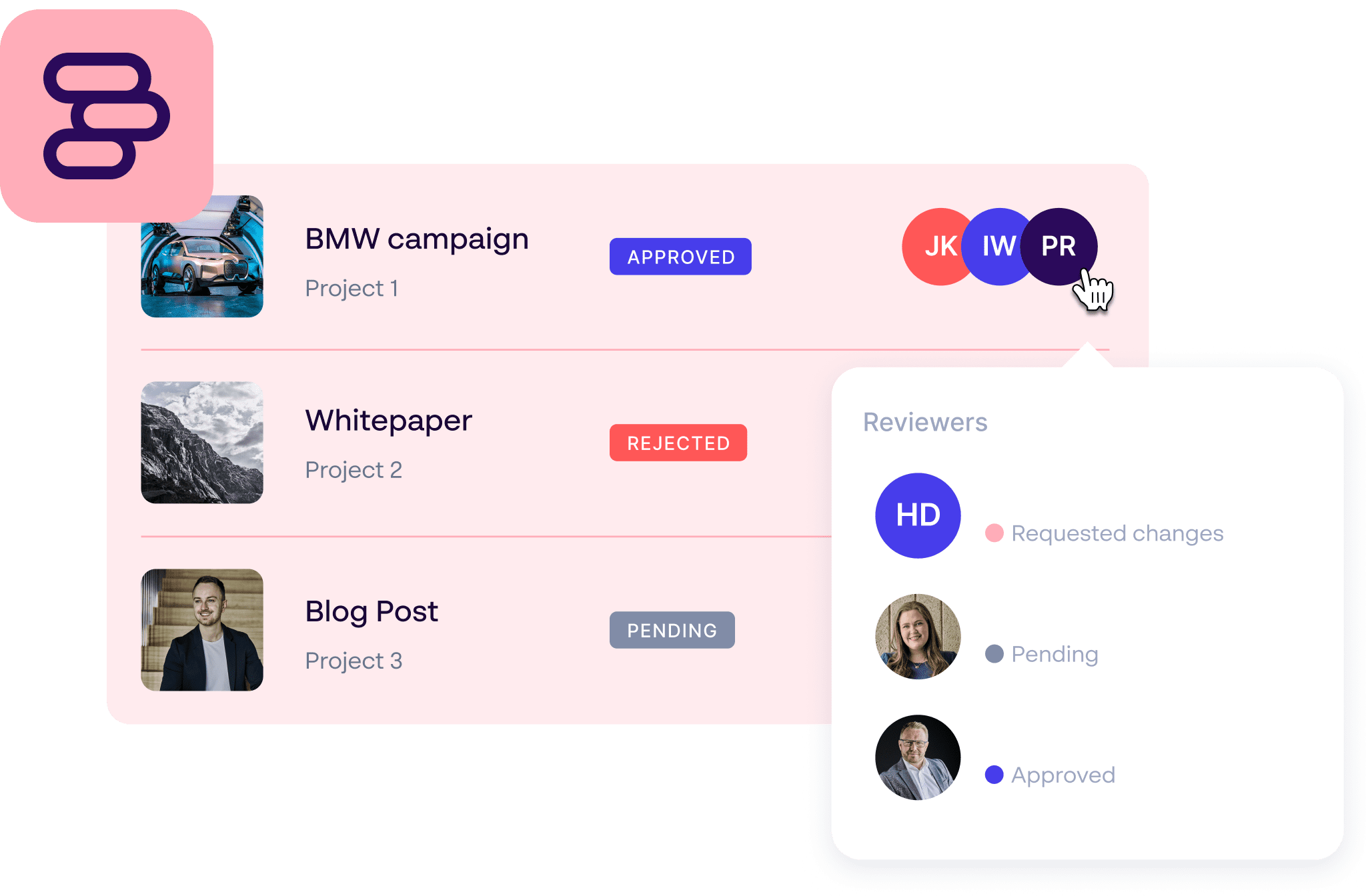
Creative workflows slowing down time to market? Papirfly allows team members to sign off marketing materials the instant they’re ready.
Customizable to your team structure, enabling advanced approval workflows makes campaign leads more accountable, and bottlenecks much less likely.

Mikaela Bäckius, Project Manager Brand
O’Learys Group
”Our global setup demands fast deliveries of a diverse selection of marketing materials. It is essential that we can deliver on time regardless of restaurant or time zone while staying true to our brand.”


Achieve brand consistency with Flexible Multichannel Templates
Connecting design tools to your DAM solution gives you even greater control over your digital assets. And that’s just the start. Explore the full Papirfly Suite to discover how you can:
- Create campaign pages in any language for every market
- Create one source of truth with an AI Brand Assistant to support
- Measure internal brand adoption to scale success
Frequently asked questions
What are Papirfly’s Flexible Multichannel Templates?
Flexible Multichannel Templates let anyone in your organization create on-brand content without waiting for design support. There are two routes to a template. Self-serve templates are configured from your InDesign and Figma design files. Pro templates are encoded from your brand guidelines.
What’s the difference between Self-serve and Pro templates?
Self-serve templates: A designer exports an existing InDesign or Figma layout. You import the design into Papirfly’s UI, set what brand elements stay locked, and define what each market can change.
Pro templates: Brand and Marketing admins own templates embedded with brand logic. Built for scale and flexibility, Papirfly works with you to encode your brand once, and new templates for campaigns are then created inside the platform without a design file.
What templates can I build with Papirfly?
You can build templates for print, digital, and in-store channels. What’s available depends on the route you choose.
Self-serve templates: Social media posts, flyers, posters, business cards, menus, PDF presentations and in-store materials, all set up from your InDesign or Figma design files.
Pro templates: Everything Self-serve covers, plus formats a design file can’t handle. Pro templates come in modules, so you can start with the channel your campaigns rely on most and add more later:
– Print: print-ready PDFs, posters, magazines, and business cards
– Graphics: still images (JPG, PNG, WebP) and social media assets
– Video: animated GIFs, MOV, and MP4 short videos
– Email: HTML emails with images
– Banner: HTML web banners
– HTML one-pagers: standalone pages for online magazines or campaigns
– Digital signage: content for in-store and office TV screens
Which templating route is right for us?
It depends on whether speed, scale, or flexibility matters most. If you have approved design files and want markets producing immediately, start with Self-serve. If you need to go beyond your design team’s capacity, want more complex template logic, or need banner, email, and video formats, choose Pro.
How do templates keep content on-brand across global teams?
Both routes let you lock in brand elements like logos, fonts, and colors, so nobody can go off-brand. With Self-serve templates, whoever configures the template sets its scope per file. With Pro templates, your encoded brand rules apply to every template built from them.
How far can a template flex?
Self-serve templates carry the logic their design file supports: editable regions, conditional dropdowns that show, hide or recolor elements, and layouts that resize and reflow around the content entered. Pro templates are built from your encoded brand components rather than adapted from one layout, so they can handle complex logic and behavior beyond what a design file can express.
Can we import existing designs from InDesign or Figma?
Yes. With Self-serve templates, your designers export from InDesign or Figma and your admins configure the template in Papirfly. It’s live the same day, so design work you’ve already paid for goes straight into circulation.
How quickly can we create the next template for a campaign?
With Self-serve, each new campaign template is built from a new design file exported from InDesign or Figma. With Pro, it’s built directly in Papirfly from your existing Pro template. It takes minutes, with no design file and no designer. Your admins or Papirfly Managed Services can create it.
Can templates be localized for different languages or markets?
Yes. Teams can adapt content for different languages and regional requirements while core brand elements stay locked in. You keep brand consistency while making sure content resonates with local audiences.
How do Flexible Multichannel Templates connect with our DAM, approvals, and marketing tools?
Built-in approval workflows make sure the right people review and approve content before it goes live. Templates also connect with your DAM, CMS, and other marketing platforms, giving users easy access to approved assets and a smooth content creation workflow.