Customizable Brand Portal
Everything every team needs to stay on-brand
With Papirfly, give all markets instant access to campaign materials, brand guidelines, approved assets, and multichannel templates.
Each local team delivers only what is relevant to their audience. No more head office bottlenecks, with AI assistance for all brand-related questions.


Empowering some of the world’s best‑known brands


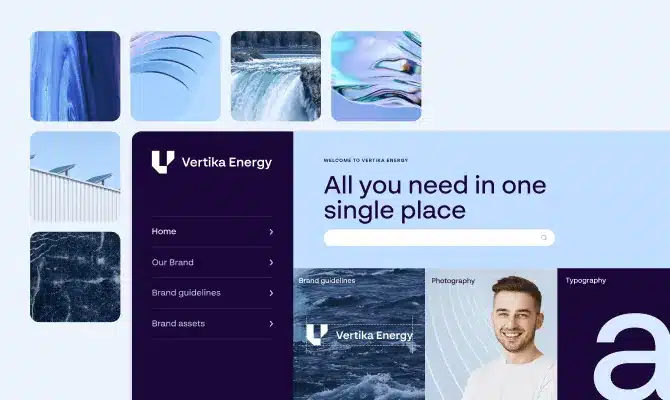
Build a brand portal that mirrors your network
Create a portal for each market in its local language. Online brand guidelines stay up to date. Users see only brand assets they have permission to use and localize.
Approved assets live in your DAM. Usage analytics track what markets view, localize, and download. Multi- and sub-brand structure is supported.
Feature spotlight
Brand Assistant
Give teams their own brand expert
Free central brand and marketing teams from repetitive questions, with your AI-powered Brand Assistant. Users receive:
- Brand knowledge on demand: Instant guidance based on your brand guidelines
- Permission-aware responses: Information limited to what users can access
- Self-service support: Papirfly how-tos sourced directly from our Help Center
- Cited responses: Replies linking to source articles or guideline pages for full context
- Central team insights: Analysis of questions to spot and bridge knowledge gaps
Streamline campaign rollout from central to local teams
Use drag-and-drop branded elements to build campaign pages in minutes. Update once and roll out the latest version to all markets, bringing together:
- Campaign briefs with context, objectives and direction
- Key messaging to keep brand consistency across each region
- Approved assets ready-to-use for every customer touchpoint
- Multichannel templates for localized on-brand creation
Track consent, manage permissions, and instantly remove non-compliant assets – all from one central hub designed to protect your brand and your audience.
Built to deliver your brand across your entire network
Whether you’re opening new markets, launching a rebrand, or running weekly promotions, your brand portal gives every location exactly what they need from one source of truth.
Dealer and distributed networks
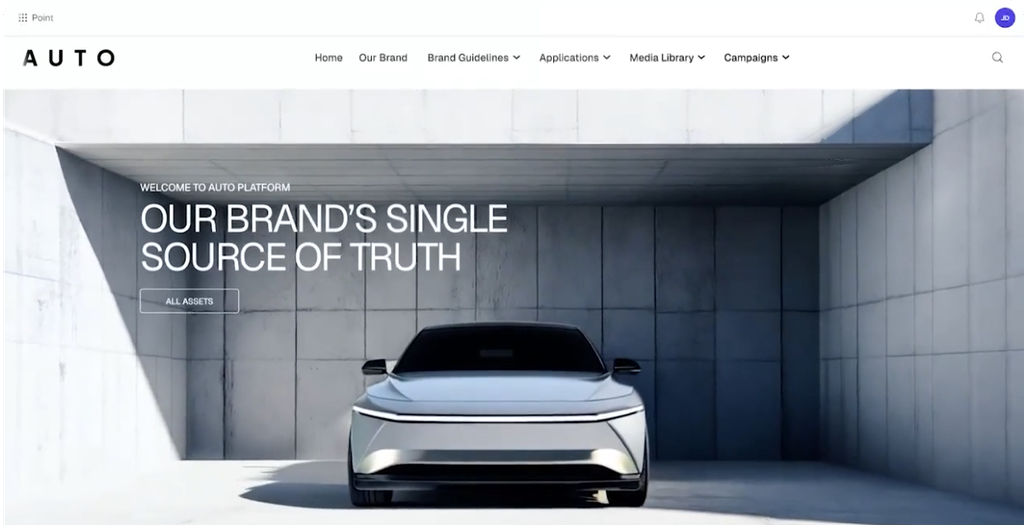
All dealerships get the latest official campaign guidelines and templates, so national campaigns stay on-brand when they go live locally.
Regulated industry networks
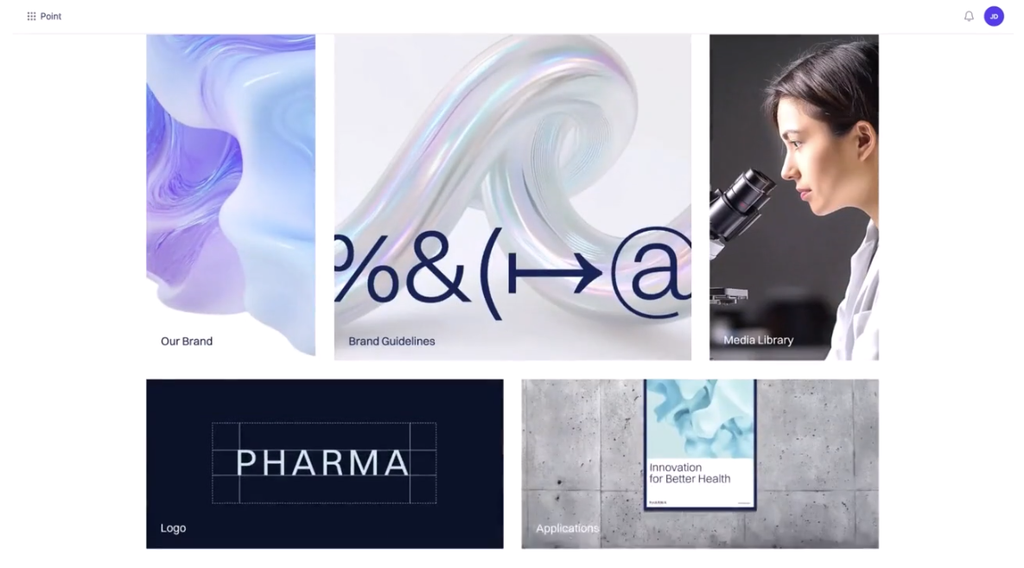
Approved campaign materials and current guidelines sit side by side, so every branch knows what it can publish and stays fully compliant.
Promotion-led retail network
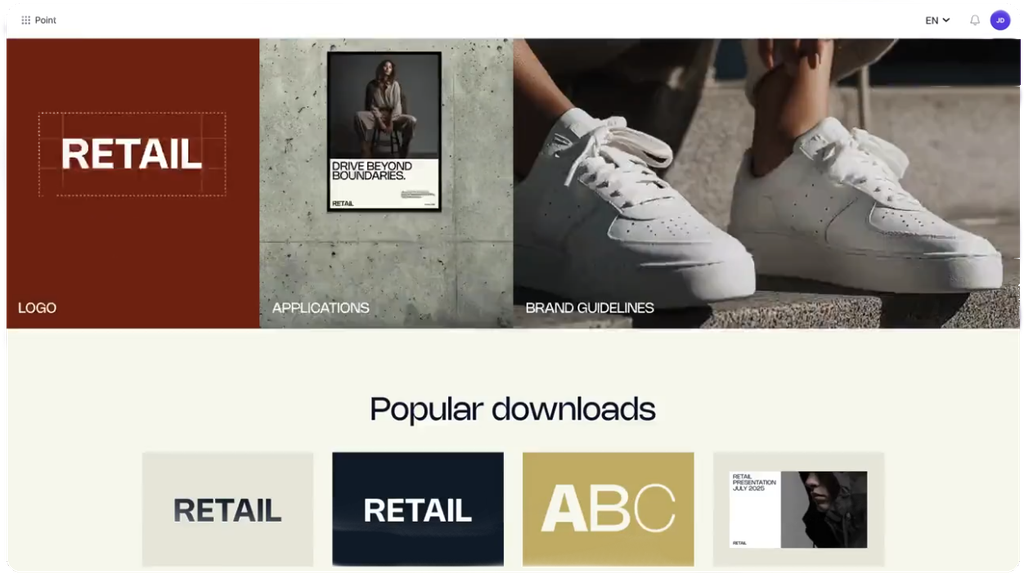
A new promotion every week can go live in every location on sign-off, with assets and templates instantly available to use and localize.

Dominic W.
Senior Marketing Campaign Manager
Don’t know what we did before it!
“The system is incredibly intuitive and easy to use. It’s structured in such a way that it’s easy to find everything you need with enough personalisation functionality to create a portal that suits your business’s needs. We use it for a range of different things from simple guidelines and how-to’s, creative templates, and a DAM which holds imagery and video. It’s an excellent solution to bring order to chaos in terms of brand and visual content.”


Deliver a brand portal every market will use
Give local markets one place for current guidelines, campaigns, and templates. Relieve your central team from being the bottleneck.
Frequently asked questions
What is a brand portal?
Our Brand Portal is one customizable online site where your local markets find current brand guidelines, campaigns, approved assets and templates. It replaces PDF guidelines and shared drives with one version of the brand.
How is Papirfly’s Brand Portal different from SharePoint or PDF guidelines?
SharePoint and PDFs store files, but they can’t stop a market using last year’s logo. Using our Brand Portal means each market is shown only current, approved content, connected to the assets in your DAM.
How does a brand portal relate to a DAM?
The DAM stores, versions and controls your assets. The brand portal is where each market finds them, with the guidelines and campaigns around them. Papirfly is the DAM for brand and marketing teams, and Brand Portal is built onto it.
Can each market see different content?
Each dealer, branch or country sees what applies to it and nothing else, based on the permissions you set.
What is Papirfly’s Brand Assistant?
Our Brand Assistant is an AI-powered support tool inside the brand portal. Users ask questions in plain language and get short answers from your published guidelines, with a link to the source page.
How accurate are Brand Assistant’s answers?
Brand Assistant is designed to answer only from the content published in your brand portal, and every answer links to its source so users can check it. When it can’t find an answer, it says so and points users to the contact or page you choose. Answers are only as complete as the guidelines behind them.
Does Brand Assistant show content users aren’t allowed to see?
No. It answers within each user’s access, using the permissions you already have in place.
Is our data used to train AI models?
No, we do not allow LLMs to use data for training.
Can one brand portal hold multiple brands or sub-brands?
Yes. You can manage multiple brands or sub-brands in the same portal, each with its own guidelines and assets.
Can we see how the portal is used?
Yes. Usage analytics show which assets are viewed and downloaded, so you can see what’s working and where guidance needs attention.